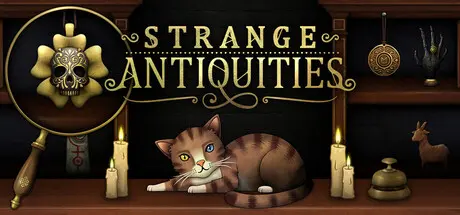
October 3, 2025Oct 3 Strange Antiquities Game DetailsRelease Name: Strange AntiquitiesGame Version: v1.0.37 | Build 20172534Release Date: 17 Sep, 2025Publisher: Iceberg InteractiveDeveloper: Bad VikingBased On: CSF & GoldbergStrange Antiquities Direct Download - Game OverviewDear Applicant,I am pleased to offer you the role of Apprentice Thaumaturge at Strange Antiquities.You show promise – a sharp mind and a strong stomach – exactly what this work demands. I need you to run the shop while I attend to other pressing matters. You will need a keen eye for detail as you provide the townsfolk of Undermere with occult objects for their arcane needs.Undermere might seem unassuming at first – a serene little town on the edge of a grand lake. But it also sits at the edge of our world and the world beyond – and it falls on us to preserve reality’s frayed edge.Permit me now to outline your duties – you’ll need to be up to speed from day one.Every day, you will welcome new customers into the cosy, candle-lit interior of the shop. Their needs are unpredictable and often alarming, but never dull!Study and Identify: Examine, identify and catalogue strange artefacts. Observation, deduction, and careful reference to our collection of illustrated tomes will serve you well. Mistakes can be… costly.Help… Or Hinder: When dealing with powerful items, your choices matter. Will you help someone with their problem, or curse them with a horrid affliction? In a small town like this, people remember your misdeeds.Explore and Discover: From time to time, you will have to leave the safety of the shop. Whether investigating rumours or retrieving artefacts, my well-loved hand-drawn maps will guide you to where you need to go.Solve and Uncover: Your day-to-day might already feel like a puzzle, but this store holds many more. Few know how old this building is, and fewer still know what secrets lie within its walls.Tending the Familiar: And, of course, Jupiter, the shop’s cat, demands daily affection. In return for his company, please oblige him with the occasional scratch behind the ears.Strange Antiquities Screenshots Strange Antiquities TrailerStrange Antiquities System Requirements Minimum RequirementsRecommended Requirements OSWindows 10 or aboveWindows 10 or above ProcessorQuad core processori3 10100 Memory4 GB RAM16 GB RAM GraphicsDX11 compatibleGTX 1060 DirectXVersion 11Version 11 Storage3 GB available space- How to Install Strange AntiquitiesNo Installation Needed: The game is pre-installed. Just download and extract.Extract: Right-click the .zip or .rar file and select "Extract Here" or "Extract to folder".Run: Find Strange Antiquities.exe inside the folder and run it.Game Data & SettingsChange Language: Edit the file located at steam_settings/Configs.user.iniSave Data Location: %USERPROFILE%/AppData/LocalLow/BadVikingLtd/Strange AntiquitiesImportant NotesTo support the Game Developer, Get It On Steam.🔥DOWNLOAD AREA🔥🔹857 MB🔹Select the server you want to download with ZeiLink.Download





Create an account or sign in to comment