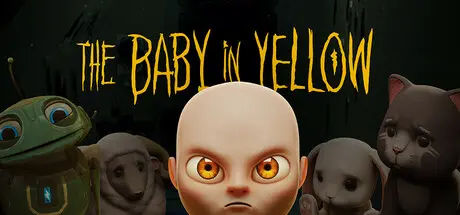
May 27May 27 The Baby In Yellow Game DetailsRelease Name: The Baby In YellowGame Version: v2.3.3 | Build 22078633Release Date: 25 May, 2023Publisher: Team TerribleDeveloper: Team TerribleBased On: CSF & GoldbergThe Baby In Yellow Direct Download - Game OverviewThe Baby In Yellow is a Lovecraftian comedy horror game where you must look after a suspicious baby and survive his attempts to take control.Over the course of 11 chapters this creepy bundle of madness must be well-fed, clean and most importantly, kept entertained.Handle with careThis may not be your first babysitting job, but it could be your last. So listen to that whisper in your head, the one that tells you to obey, and everything will be fine.Feed the babyClean his diaperNever put him in the ovenRead him a bedtime storyMake a cheese toastiePut him to sleepD̵̲̉ọ̴̭̿n̵̺̓͜'̸̛̹̣͌t̸͉̋̂ ̵̘͗̂l̸͉̆e̸̛̜͕ḁ̷͈͛v̷̳̎e̵̫͂The Baby In Yellow Screenshots The Baby In Yellow TrailerThe Baby In Yellow System RequirementsMinimum RequirementsRecommended RequirementsOS64-bit Windows 10+-ProcessorQuad-core Intel or AMD, 2.5 GHz or faster-Memory2 GB RAM-GraphicsNVIDIA GeForce GTX 420 / AMD Radeon HD 5450-DirectXVersion 11-Storage1 GB available space-How to Install The Baby In YellowNo Installation Needed: The game is pre-installed. Just download and extract.Extract: Right-click the .zip or .rar file and select "Extract Here" or "Extract to folder".Run: Find Game.exe inside the folder and run it.Game Data & SettingsChange Language: Edit the file located at steam_settings/Configs.user.iniSave Data Location: %USERPROFILE%/AppData/Local/BabyInYellow/Saved/SaveGamesImportant NotesTo support the Game Developer, Get It On Steam.🔥DOWNLOAD AREA🔥🔹646 MB🔹Select the server you want to download with ZeiLink.Download





Create an account or sign in to comment