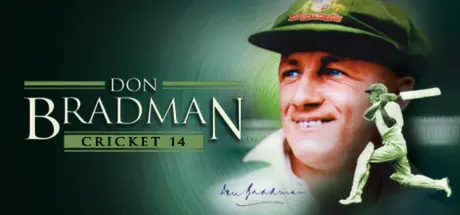
September 17, 2025Sep 17 Don Bradman Cricket 14 Game DetailsRelease Name: Don Bradman Cricket 14Game Version: v1.21 | Build 770693Release Date: 25 Jun, 2014Publisher: Big Ant StudiosDeveloper: Big Ant StudiosBased On: CSF & GoldbergDon Bradman Cricket 14 Direct Download - Game Overview The first thing to think about when you start playing Don Bradman Cricket 14 is to forget what you know about Cricket games and start afresh...it's cricket like you've never seen it before! Take to the field with any of the 100+ teams provided or choose from over 14,000 teams available online from the Academy.Don Bradman Cricket 14 includes:• Career Mode, allowing you to take control of an aspiring young cricketer and take him through the ranks to International glory.• Unique Batting and Bowling Controls, giving full 360 Shot control and Line and Length delivery without pitch markers.• A fully featured fielding system that allows you to run down the ball and slide to prevent a four, catch a high ball on the boundary rope, or knock down the stumps to take a vital run out. You are always involved in the play at every stage of the game!• Ball Physics giving realistic Edges, bat pad catches and movement off the pitch.• A complete player physics system with individual attributes including weight and height – imagine running in a 200cm bowler to delivery that perfect bouncer!• Appeal and Electronic Review system allowing for the first time challenges of the umpires decision.• Practice Nets, Hone your skills to perfection before taking to the field.• Dynamic time of day, Weather System and Pitch Degradation that are based on real world data with effects occurring in real-time throughout a days’ play.• The Cricket Academy, allowing for unparalleled customisation of your Cricket experience, creating Teams, players, Tours, Competitions, Match Types and even Umpires.• More than 150,000 Community created players and teams ready to download and use in game.• An online Save system that lets you continue your match whenever you want with online opponents.• Online & Offline 2 Player Vs AI Co-op.Don Bradman Cricket 14 Screenshots Don Bradman Cricket 14 TrailerDon Bradman Cricket 14 System Requirements Minimum RequirementsRecommended Requirements OSWindows XP/Windows Vista/Windows 7/Windows 8Windows XP/Windows Vista/Windows 7/Windows 8 ProcessorPentium Dual-Core CPU E5700 @ 3.00Ghz/AMD Athlon II X2 250 Processor 3.01GhzIntel CoreTM I3-3210 CPU @ 3.20Ghz (4 Cpus) /AMD Phenom II X4 960T 3.0Ghz Memory2 GB RAM4 GB RAM GraphicsRadeon HD 6670 or NVIDIA Geforce GT520 with Min 1GB MemoryRadeon HD 7790 or NVIDIA GeForce GTX 650 with minimum 2GB Memory DirectXVersion 9.0cVersion 9.0c Storage2 GB available space2 GB available space How to Install Don Bradman Cricket 14No Installation Needed: The game is pre-installed. Just download and extract.Extract: Right-click the .zip or .rar file and select "Extract Here" or "Extract to folder".Run: Find cricket14.exe inside the folder and run it.Game Data & SettingsChange Language: Edit the file located at steam_settings/Configs.user.iniSave Data Location: %USERPROFILE%/My Documents/My Games/Don Bradman Cricket 14Important NotesTo support the Game Developer, Get It On Steam.🔥DOWNLOAD AREA🔥🔹1.37 GB🔹Select the server you want to download with ZeiLink.Download





Create an account or sign in to comment