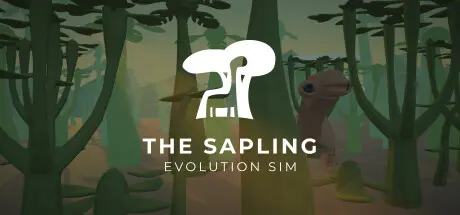
September 17, 2025Sep 17 The Sapling Game DetailsRelease Name: The SaplingGame Version: v13.41 | Build 21631349Release Date: 12 Dec, 2019Publisher: Wessel StoopDeveloper: Wessel StoopBased On: CSF & GoldbergThe Sapling Direct Download - Game OverviewWhether you want a small flower that glows in the dark, black algae specialized for planets without a lot of sunlight, or a forest of giant trees covered in spikes, it's up to you.Want a brightly colored fish that drags itself onto land to hide its eggs in burrows? Or perhaps a land animal that gives birth to live young and quickly runs from flower to flower to drink nectar? Or what about a flying carnivore specialized for diving and catching its prey underwater? Again, it's up to you.While the simulation in this game can be deep and complex, it's introduced to the player step by step; it never becomes overwhelming. Each scenario tasks you to build an ecosystem that meets specific requirements, and introduces a small number of new concepts.The Sapling Screenshots The Sapling TrailerThe Sapling System Requirements Minimum RequirementsRecommended Requirements OSWindows 7- ProcessorA processor with SSE2 instruction set support- Memory16 GB RAM32 GB RAM GraphicsGraphics card with DX10 (shader model 4.0) capabilities.- DirectXVersion 10- Storage150 MB available space- How to Install The SaplingNo Installation Needed: The game is pre-installed. Just download and extract.Extract: Right-click the .zip or .rar file and select "Extract Here" or "Extract to folder".Run: Find the_sapling.exe inside the folder and run it.Game Data & SettingsChange Language: Edit the file located at steam_settings/Configs.user.iniSave Data Location: %USERPROFILE%/AppData/LocalLow/Wessel Stoop/The SaplingImportant NotesTo support the Game Developer, Get It On Steam.🔥DOWNLOAD AREA🔥🔹430 MB🔹Select the server you want to download with ZeiLink.Download





Create an account or sign in to comment