



Skip to content
View in the app

A better way to browse. Learn more.

ZeiGames

A full-screen app on your home screen with push notifications, badges and more.

To install this app on iOS and iPadOS
  1. Tap the Share icon in Safari
  2. Scroll the menu and tap Add to Home Screen.
  3. Tap Add in the top-right corner.
To install this app on Android
  1. Tap the 3-dot menu (โ‹ฎ) in the top-right corner of the browser.
  2. Tap Add to Home screen or Install app.
  3. Confirm by tapping Install.

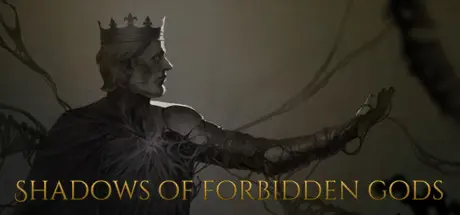
Shadows of Forbidden Gods Free Download (v2.0 + The Horrors Beneath DLC)
Featured Replies

header.webp

Game Details

Release Name:ย Shadows of Forbidden Gods

Game Version:ย v2.0 | Build 20625226

Release Date: 15 Jul, 2023

Publisher: Forbidden Oak Games Limited

Developer: Bobby Two Hands

Based On:ย CSF & Goldberg

Shadows of Forbidden Gods Direct Download - Game Review

A strategy game in which you attempt to bring about the apocalypse, by moving covert agents through a complex fantasy world to accomplish a wide range of schemes, plots and rituals. You start the game by bribing guards and infiltrating minor farming communities and slowly build up your forces until you are bringing about ice ages, eradicating entire nations with plague, summoning volcanoes and commanding city-devouring snake-gods.

You play a set of agents and corrupted heroes against the forces of good, the rulers and heroes of humanity, lead by the Chosen One. They may be stronger than you, and could eliminate your agents with ease, but you have the advantage of secrecy, and humans are easily turned one against each other. Why fight a war against a unified empire when you could shatter in into civil war and clean up the pieces with orcish hordes?

Complex AIs power the forces of good, and you can, if the mood takes you, play on their minds. Rulers can be driven to gold-obsessed lunatics, who will cause their people to rise up in anger at the insane taxations, dukes can be tricked into turning on their Kings by a carefully placed personal item which implies a court scandal, heroes can be driven insane by the maddening tales read in The Laughing King's Tome and the shadow can corrupt your enemies to the point where they start funding your agents instead of their own people.

Designed as a very flexible apocalypse simulator, Shadows of Forbidden Gods allows you to mix and match your toolsets with unique agents and varied effects, with the human forces responding dynamtically, levelling up their heroes to face what they believe to be the major threats.


Game Screenshots

screenshot screenshot screenshot screenshot


Game Trailer


System Requirements

Minimum Requirements

Recommended Requirements

OS

Windows 7

Windows 10

Processor

Intel i5-2500 or equivalent

Intel i5-7400 or equivalent

Memory

1024 MB RAM

2048 MB RAM

Graphics

Integrated Graphics

-

DirectX

-

-

Storage

1 GB available space

2 GB available space


Installation Guide

  1. No Installation Needed: The game is pre-installed. Just download and extract.

  2. Extract: Right-click the .zip or .rar file and select "Extract Here" or "Extract to folder".

  3. Run: Find ShadowsOfForbiddenGods.exe inside the folder and run it.

Game Data & Settings

  • Change Language: Edit the file located at steam_settings/Configs.user.ini

Important Notes

DLC List

Added DLCs

Shadows of Forbidden Gods - The Horrors Beneath

๐Ÿ”ฅDOWNLOAD AREA๐Ÿ”ฅ

๐Ÿ”น694 MB๐Ÿ”น

Select the server you want to download with ZeiLink.

Download

  • Replies 1
  • Views 730
  • Created
  • Last Reply

Top Posters In This Topic

Posted Images

Create an account or sign in to comment

Recently Browsing 0

  • No registered users viewing this page.

Account

Navigation

Search

Search

๐Ÿ”Ž Search Tip
For exact results, search using "game name" .
Without quotes, results may include unrelated titles.

Configure browser push notifications

Chrome (Android)
  1. Tap the lock icon next to the address bar.
  2. Tap Permissions โ†’ Notifications.
  3. Adjust your preference.
Chrome (Desktop)
  1. Click the padlock icon in the address bar.
  2. Select Site settings.
  3. Find Notifications and adjust your preference.
