



Skip to content
View in the app

A better way to browse. Learn more.

ZeiGames

A full-screen app on your home screen with push notifications, badges and more.

To install this app on iOS and iPadOS
  1. Tap the Share icon in Safari
  2. Scroll the menu and tap Add to Home Screen.
  3. Tap Add in the top-right corner.
To install this app on Android
  1. Tap the 3-dot menu (โ‹ฎ) in the top-right corner of the browser.
  2. Tap Add to Home screen or Install app.
  3. Confirm by tapping Install.

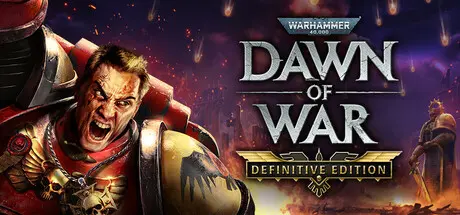
Warhammer 40,000: Dawn of War - Definitive Edition Free Download (Build 19621836)
Featured Replies

header.webp

Game Details

Release Name:ย Warhammer 40,000: Dawn of War - Definitive Edition

Game Version:ย Build 19621836

Release Date: 14 Aug, 2025

Publisher: Relic Entertainment

Developer: Relic Entertainment

Based On:ย CSF & Goldberg

Warhammer 40,000: Dawn of War - Definitive Edition Direct Download - Game Review

All of Warhammer 40,000: Dawn of War in one definitive package. Experience this genre-defining Warhammer 40,000 classic in all its blood-soaked glory, including four complete campaigns, nine full-fledged factions, and over 100 maps โ€“ all in one game.ย 

Upon its release in 2004, Warhammer 40,000: Dawn of War quickly established itself as one of the all-time great real-time strategy games and a glorious celebration of Games Workshopโ€™s storied far future of the 41st Millennium. The Definitive Edition celebrates this seminal Warhammer 40,000 title with updates that refine the experience for modern hardware and secure the gameโ€™s legacy for years to come.ย 

Warhammer 40,000: Dawn of War - Definitive Edition delivers image-based lighting and upgraded unit textures, enhancing the overall presentation. Improved world lighting, unit reflections, more detailed shadows, surface gloss, and emissive lighting make for a superior experience, while retaining the classic Dawn of War feel.ย 

At Announce, we heard that our players wanted to see pathfinding improved. We have since added pathfinding updates that enable easier unit management, making for a smoother, more immersive experience. ย 

Additionally, all units in the game have received texture upscaling of at least four times their original resolution, making for more detailed units, and a more readable experience.

Now on a 64-bit platform to support the ongoing efforts of the modding community, the Definitive Edition also includes an integrated Mod Manager and is compatible with over 20 years of lovingly crafted Community Mods.

An improved gameplay camera shows the battlefield like never before, working seamlessly on modern systems, including 4K displays. Increased draw distances make for a more cinematic experience, and the HUD and screen layout have been optimized for modern widescreen viewing.

  • The transhuman warriors of the Space Marines bring the Emperorโ€™s fury from orbit.ย ย 

  • The savage Orks smash through all their foes with abandon.ย ย 

  • The mystical Eldar strike from hiding with weapons of incomparable elegance.ย ย 

  • The twisted force of Chaos marries the power of daemons and heretic Space Marines alike.ย 

  • The mechanized Imperial Guard roll their mighty tanks across the battlefield.ย 

  • The high-tech Tau deploy powerful mechanized battle suits and fearsome Kroot warriors.ย 

  • The ancient Necrons rise from the sands to eliminate all life.ย 

  • The foul Dark Eldar swoop from the skies to steal away their victims.ย 

  • The pious Sisters of Battle purge the foes of mankind without mercy.ย 

  • Command the Blood Ravens as they face the deadly fall of Tartarus in the original Dawn of War campaign.ย 

  • Lead the Winter Assault on Lorn V, guiding either the forces of Order (Imperial Guard and Eldar) or Disorder (Orks and Chaos) in a race to recover a mighty Titan war machine.ย 

  • Conquer the planet Kronus during the Dark Crusade, a non-linear strategic campaign playable as classic Space Marines, Imperial Guard, Eldar, Orks, Chaos, Tau, or Necrons.ย 

  • Weather the Soulstorm in the Kaurava System, in a second non-linear campaign, this time playable as any of the nine factions.ย 

  • Play 2 to 8 player multiplayer, either in teams or in free-for-all.ย 

  • Choose from many modes and numerous maps.ย 


Game Screenshots

screenshot screenshot screenshot screenshot


Game Trailer


System Requirements

Minimum Requirements

Recommended Requirements

OS

Windows 10 64-bit

-

Processor

Intel i5 6th-gen or AMD Ryzen desktop processor with 4 cores @3GHz, or equivalent performance

-

Memory

8 GB RAM

-

Graphics

NVIDIA GeForce GTX 950, AMD Radeon R9 370, or equivalent performance

-

DirectX

Version 9.0c

-

Storage

25 GB available space

-


Installation Guide

  1. No Installation Needed: The game is pre-installed. Just download and extract.

  2. Extract: Right-click the .zip or .rar file and select "Extract Here" or "Extract to folder".

  3. Run: Find W40k.exe inside the folder and run it.

Game Data & Settings

  • Change Language: Edit the file located at steam_settings/Configs.user.ini

  • Save Data Location: %USERPROFILE%/AppData/Roaming/Relic Entertainment\Dawn of War\

Important Notes

๐Ÿ”ฅDOWNLOAD AREA๐Ÿ”ฅ

๐Ÿ”น17.69 GB๐Ÿ”น

Select the server you want to download with ZeiLink.

Download

  • Views 816
  • Created
  • Last Reply

Posted Images

Create an account or sign in to comment

Recently Browsing 0

  • No registered users viewing this page.

Account

Navigation

Search

Search

๐Ÿ”Ž Search Tip
For exact results, search using "game name" .
Without quotes, results may include unrelated titles.

Configure browser push notifications

Chrome (Android)
  1. Tap the lock icon next to the address bar.
  2. Tap Permissions โ†’ Notifications.
  3. Adjust your preference.
Chrome (Desktop)
  1. Click the padlock icon in the address bar.
  2. Select Site settings.
  3. Find Notifications and adjust your preference.
