



Skip to content
View in the app

A better way to browse. Learn more.

ZeiGames

A full-screen app on your home screen with push notifications, badges and more.

To install this app on iOS and iPadOS
  1. Tap the Share icon in Safari
  2. Scroll the menu and tap Add to Home Screen.
  3. Tap Add in the top-right corner.
To install this app on Android
  1. Tap the 3-dot menu (โ‹ฎ) in the top-right corner of the browser.
  2. Tap Add to Home screen or Install app.
  3. Confirm by tapping Install.

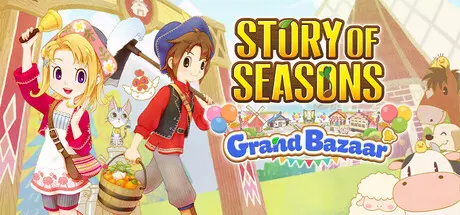
STORY OF SEASONS: Grand Bazaar Free Download (v1.5.0 + ALL DLC)
Featured Replies

header.webp

Game Details

Release Name:ย STORY OF SEASONS: Grand Bazaar

Game Version:ย v1.5.0 | Build 23303200

Release Date: 27 Aug, 2025

Publisher: XSEED Games, Marvelous USA, Inc., Marvelous Europe

Developer: Marvelous Inc.

Based On:ย CSF & RUNE

STORY OF SEASONS: Grand Bazaar Direct Download - Game Review

Zephyr Townโ€™s bazaar was once one of the grandest in the world, drawing customers and peddlers from all four corners of the globe. These days, though, the bazaar has more tumbleweeds than customers. Itโ€™s up to you to turn its fortunes around! Raise animals, harvest crops, craft rare delicacies, then sell your wares at your very own stall in the bazaar. As the bazaar business grows, new goods and services will arrive, which you can use to improve your farm. Help return prosperity to the bazaar, and Zephyr Town will thrive once again!

Inspired by the classic handheld title, the new STORY OF SEASONS: Grand Bazaar builds up and improves on the original in every conceivable way. The world is bigger and more alive than ever thanks to incredible new visuals, new characters, expanded story, and full character voice work in story eventsโ€”a series first. Take advantage of Zephyr Townโ€™s unique weather, using the wind to make travel and farm tasks a breeze! The winds of change are coming to deliver your new life in STORY OF SEASONS: Grand Bazaar.

The magnificent beauty of Zephyr Town shines with gorgeous graphics while richly voiced story carries the player on a rewarding journey of farming, friendship, and renewal.

Harness the power of the wind! Use windmills to create new products to sell, and effortlessly travel across the town on your glider. Use new jumping skills on your farm, or when exploring the town. You never know what youโ€™ll find!

Your farm's produce and goods take on additional importance as the heart of your business at the lively weekly bazaar. Customize your stall and take charge of your sales to build up buzz and power up profits.

Enjoy a rich life amongst a colorful community of characters, from friendly townsfolk to magical Nature Sprites. Build yourself a home, grow relationships, and even find love and start a family.


Game Screenshots

screenshot screenshot screenshot screenshot


Game Trailer


System Requirements

Minimum Requirements

Recommended Requirements

OS

Windows 10/11

Windows 10/11

Processor

Intel i5-7400 / AMD Ryzen 5 2400

Intel i7-7700 / AMD Ryzen 5 2600

Memory

8 GB RAM

16 GB RAM

Graphics

NVIDIA Geforce GTX 1050 / Radeon RX560

NVIDIA Geforce GTX 1660 / Radeon RX590

DirectX

Version 12

Version 12

Storage

10 GB available space

10 GB available space


Installation Guide

  1. No Installation Needed: The game is pre-installed. Just download and extract.

  2. Extract: Right-click the .zip or .rar file and select "Extract Here" or "Extract to folder".

  3. Run: Find SOSGrandBazaar.exe inside the folder and run it.

Game Data & Settings

  • Change Language: Edit the file located at steam_emu.ini

  • Save Data Location: %USERPROFILE%/AppData/Roaming/STORY OF SEASONS Grand Bazaar/

Important Notes

DLC List

Added DLCs

STORY OF SEASONS: Grand Bazaar - Complete Sweetheart Set

STORY OF SEASONS: Grand Bazaar - Bachelorette Sweetheart Set

STORY OF SEASONS: Grand Bazaar - Bachelor Sweetheart Set

STORY OF SEASONS: Grand Bazaar - Art Book

STORY OF SEASONS: Grand Bazaar - New You Outfit Set

STORY OF SEASONS: Grand Bazaar - Super Digital Deluxe DLC Set

STORY OF SEASONS: Grand Bazaar - Pine Hoverfly Set

STORY OF SEASONS: Grand Bazaar - Rancher Set

STORY OF SEASONS: Grand Bazaar - Trunk of Transformation

STORY OF SEASONS: Grand Bazaar - Cow Set

STORY OF SEASONS: Grand Bazaar - Paw Print Set

STORY OF SEASONS: Grand Bazaar - Pumpkin Set

STORY OF SEASONS: Grand Bazaar - Head Chef Set

STORY OF SEASONS: Grand Bazaar - Turnip Set

STORY OF SEASONS: Grand Bazaar - Honey Bee Set

STORY OF SEASONS: Grand Bazaar - Pastel Flower Set

๐Ÿ”ฅDOWNLOAD AREA๐Ÿ”ฅ

๐Ÿ”น4.81 GB๐Ÿ”น

Select the server you want to download with ZeiLink.

Download

  • Replies 10
  • Views 8.8k
  • Created
  • Last Reply

Top Posters In This Topic

Most Popular Posts

Posted Images

Just a question, because when I started the game, and selected "New Game" option. It just got me stuck in a loading screen forever.

  • Author
6 hours ago, September said:

Just a question, because when I started the game, and selected "New Game" option. It just got me stuck in a loading screen forever.

Yes, the crack isn't working properly. I tested it again and added the working crack. I'll add it to the topic soon. Redownload game and Use launcher.exe for start a game Weed3

13 hours ago, DicDale said:

Yes, the crack isn't working properly. I tested it again and added the working crack. I'll add it to the topic soon. Redownload game and Use launcher.exe for start a game Weed3

Thank you for the reply! I redownloaded it, but now it opens up steam and asks for the license ๐Ÿคฃ

  • 3 weeks later...

can't go through autosave after intro was play(mayor greet me and first black screen auto save)

  • 2 weeks later...

For some reason, whenever I open it, the settings can't be saved and when I press New Game, it takes me to a loading screen that goes on forever. Also, when I open using a third-party app, it deletes my .exe and I can't open it again.

Create an account or sign in to comment

Recently Browsing 0

  • No registered users viewing this page.

Account

Navigation

Search

Search

๐Ÿ”Ž Search Tip
For exact results, search using "game name" .
Without quotes, results may include unrelated titles.

Configure browser push notifications

Chrome (Android)
  1. Tap the lock icon next to the address bar.
  2. Tap Permissions โ†’ Notifications.
  3. Adjust your preference.
Chrome (Desktop)
  1. Click the padlock icon in the address bar.
  2. Select Site settings.
  3. Find Notifications and adjust your preference.
