



Theme
Language

Layout
Skip to content
View in the app

A better way to browse. Learn more.

ZeiGames

A full-screen app on your home screen with push notifications, badges and more.

To install this app on iOS and iPadOS
  1. Tap the Share icon in Safari
  2. Scroll the menu and tap Add to Home Screen.
  3. Tap Add in the top-right corner.
To install this app on Android
  1. Tap the 3-dot menu (โ‹ฎ) in the top-right corner of the browser.
  2. Tap Add to Home screen or Install app.
  3. Confirm by tapping Install.

PARKSIDE: DECAYED SOUL MANIPULATION Free Download (Build 24667334)
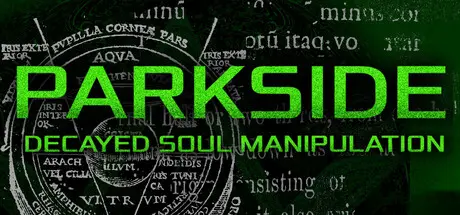
PARKSIDE: DECAYED SOUL MANIPULATION

Featured Replies

PARKSIDE: DECAYED SOUL MANIPULATION cover art

PARKSIDE: DECAYED SOUL MANIPULATION Game Details

Release Name:ย PARKSIDE: DECAYED SOUL MANIPULATION

Game Version:ย Build 24667334

Release Date: 30 Jul, 2026

Publisher: Banana Hardsoft

Developer: Banana Hardsoft

Based On:ย CSF & Goldberg

PARKSIDE: DECAYED SOUL MANIPULATION Direct Download - Game Overview

In PARKSIDE, the future of biomechanical subterfuge and suffering is revealed through the story of Alexander Petrovich, an unemployed hacker who is kidnapped by a mysterious group known as the Illuminated Brethren of Conclave Automata.

Will he bend to the will of the Brethren and aid in realizing their vision for humanity, or will he take the hand of a guardian angel? Though, no matter his choice, a sinister voice in his head warns that judgement is inevitable.

PARKSIDE is a First Person Shooter / Immersive Simulation, with a focus on freedom, choice, and consequences.

Set in the fictitious city of Abbotsford, California in the year 2038, the world the player experiences is the result of four years of shrouded meddling by the Illuminated Brethren - the environment is cold and unforgiving, the people are drab and demoralized, narcotics and gangs are rife, and military police walk the streets. How has it come to this?

Following his capture by the Brethren, Alexander is interfaced with an experimental combat platform known as POLYPHEMUS. Through a piece of technology called the Remote Combatant Viewer, he is sent to complete illicit, dangerous missions for the Brethren, whose directives come from the mysterious Divine Rod.

Many tools are at the player's disposal to tackle problems including a roster of futuristic weapons, armaments such as EMP grenades and frag mines, and abilities that can be used to navigate all manner of obstacles. You can hack or bypass keypads, security cameras, turrets, and robots... or shoot them to bits - pick your poison and run with it as you navigate smoky streets, dark alleys, airy vents, and secret bases.


PARKSIDE: DECAYED SOUL MANIPULATION Screenshots

PARKSIDE: DECAYED SOUL MANIPULATION screenshot 1 PARKSIDE: DECAYED SOUL MANIPULATION screenshot 2 PARKSIDE: DECAYED SOUL MANIPULATION screenshot 3 PARKSIDE: DECAYED SOUL MANIPULATION screenshot 4


PARKSIDE: DECAYED SOUL MANIPULATION Trailer


PARKSIDE: DECAYED SOUL MANIPULATION System Requirements

Minimum Requirements

Recommended Requirements

OS

Windows 7 (SP1+), Windows 10 and Windows 11

-

Processor

x86, x64 architecture with SSE2 instruction set support.

-

Memory

4 GB RAM

-

Graphics

Integrated graphics recommended

-

DirectX

Version 10

-

Storage

5 GB available space

-


How to Install PARKSIDE: DECAYED SOUL MANIPULATION

  1. No Installation Needed: The game is pre-installed. Just download and extract.

  2. Extract: Right-click the .zip or .rar file and select "Extract Here" or "Extract to folder".

  3. Run: Find PARKSIDE.exe inside the folder and run it.

Game Data & Settings

  • Change Language: Edit the file located at steam_settings/Configs.user.ini

Important Notes

๐Ÿ”ฅDOWNLOAD AREA๐Ÿ”ฅ

๐Ÿ”น1.85 GB๐Ÿ”น

Select the server you want to download with ZeiLink.

Download

  • DicDale changed the title to PARKSIDE: DECAYED SOUL MANIPULATION Free Download (Build 24667334)

  • Views 456
  • Created
  • Last Reply

Posted Images

Create an account or sign in to comment

Recently Browsing 0

  • No registered users viewing this page.

Account

Navigation

Search

Search

๐Ÿ”Ž Search Tip
For exact results, search using "game name" .
Without quotes, results may include unrelated titles.

Configure browser push notifications

Chrome (Android)
  1. Tap the lock icon next to the address bar.
  2. Tap Permissions โ†’ Notifications.
  3. Adjust your preference.
Chrome (Desktop)
  1. Click the padlock icon in the address bar.
  2. Select Site settings.
  3. Find Notifications and adjust your preference.