



Skip to content
View in the app

A better way to browse. Learn more.

ZeiGames

A full-screen app on your home screen with push notifications, badges and more.

To install this app on iOS and iPadOS
  1. Tap the Share icon in Safari
  2. Scroll the menu and tap Add to Home Screen.
  3. Tap Add in the top-right corner.
To install this app on Android
  1. Tap the 3-dot menu (โ‹ฎ) in the top-right corner of the browser.
  2. Tap Add to Home screen or Install app.
  3. Confirm by tapping Install.

Against the Storm Free Download (v1.9.8 + ALL DLC)
Featured Replies

header.webp

Game Details

Release Name:ย Against the Storm

Game Version:ย v1.9.8 | Build 22562969

Release Date: 8 Dec, 2023

Publisher: Hooded Horse

Developer: Eremite Games

Based On:ย CSF & Goldberg

Against the Storm Direct Download - Game Review

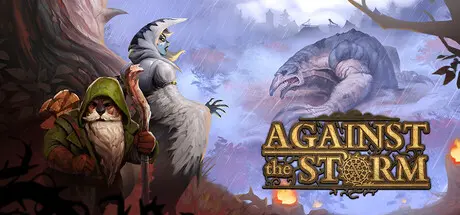
The wilderness holds many hidden dangers, and never-ending storms will batter your population into submission. If your settlements should fall, then the expedition may end โ€“ but not the game. Against the Storm is a roguelite city builder, meaning you will carry forward the resources, upgrades, and experience of your past expeditions each time you set off for a new journey into the wild.

Foxes, beavers, and lizards stand alongside humans and harpies in the struggle to survive. Utilize each group's strengths as you balance their varying needs, from housing and culinary preferences to taste in luxuries and recreation. Will you manufacture raincoats, brew ale, and bake pies to boost morale in the face of the oppressive hostility of the forest, or will you prioritize the needs of one species over another to operate more swiftly for the Scorched Queen?

Experience core city builder gameplay enhanced by roguelite replayability. Build and manage multiple settlements spread out across a large world map, all while collecting valuable meta-progression resources to upgrade the Smoldering City. Feel the pressure of an expectant monarch as the Scorched Queen demands constant progress while recurring Blightstorms pose an inevitable threat to your settlements. Manage your reputation to secure your success at any one settlement before moving on to establish another, constantly seeking new opportunities for growth, taking on unique challenges across multiple biomes, and bracing for the inevitable destruction of everything but the Smoldering City itself. How will you maximize each cycle to not just ensure the best fate for the Smoldering City, but for your career as Viceroy as well?


Game Screenshots

screenshot screenshot screenshot screenshot


Game Trailer


System Requirements

Minimum Requirements

Recommended Requirements

OS

Windowsยฎ 10 (64-bit)

Windowsยฎ 10 (64-bit)

Processor

Intelยฎ Coreโ„ข i3-530 (dual-core) / AMDยฎ Phenomโ„ข II X4 965 (quad-core)

Intelยฎ Coreโ„ข i5-2500K (quad-core) / AMDยฎ FX-Seriesโ„ข FX-8320 (quad-core)

Memory

4 GB RAM

8 GB RAM

Graphics

NVIDIAยฎ GeForceยฎ GTS 450 (1 GB) / AMDยฎ Radeonโ„ข HD 7750 (1 GB)

NVIDIAยฎ GeForceยฎ GTX 970 (4 GB) / AMDยฎ Radeonโ„ข R9 290X (4 GB)

DirectX

Version 10

Version 12

Storage

5 GB available space

5 GB available space


Installation Guide

  1. No Installation Needed: The game is pre-installed. Just download and extract.

  2. Extract: Right-click the .zip or .rar file and select "Extract Here" or "Extract to folder".

  3. Run: Find Against the Storm.exe inside the folder and run it.

Game Data & Settings

  • Change Language: Edit the file located at steam_settings/Configs.user.ini

  • Save Data Location: %USERPROFILE%/AppData/LocalLow/Eremite Games/Against the Storm

Important Notes

DLC List

Added DLCs

Against the Storm - Nightwatchers

Against the Storm - Keepers of the Stone

Against the Storm - Supporter Pack

๐Ÿ”ฅDOWNLOAD AREA๐Ÿ”ฅ

๐Ÿ”น5.10 GB๐Ÿ”น

Select the server you want to download with ZeiLink.

Download

  • Replies 1
  • Views 810
  • Created
  • Last Reply

Top Posters In This Topic

Posted Images

Create an account or sign in to comment

Recently Browsing 0

  • No registered users viewing this page.

Account

Navigation

Search

Search

๐Ÿ”Ž Search Tip
For exact results, search using "game name" .
Without quotes, results may include unrelated titles.

Configure browser push notifications

Chrome (Android)
  1. Tap the lock icon next to the address bar.
  2. Tap Permissions โ†’ Notifications.
  3. Adjust your preference.
Chrome (Desktop)
  1. Click the padlock icon in the address bar.
  2. Select Site settings.
  3. Find Notifications and adjust your preference.
