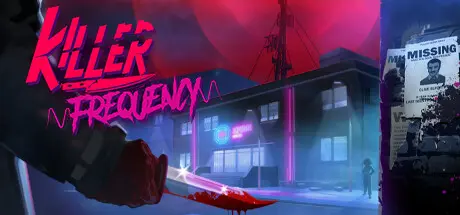
August 31, 20251 yr Killer Frequency Game DetailsRelease Name: Killer FrequencyGame Version: Build 18039164Release Date: 1 Jun, 2023Publisher: Team17Developer: Team17Based On: CSF & GoldbergKiller Frequency Direct Download - Game OverviewThe year is 1987, and as the clock strikes midnight in small-town Gallows Creek, USA, former big city radio DJ Forrest Nash is live on air in what will turn out to be the graveyard shift of a lifetime...In this horror comedy, you must solve puzzles to save callers from being hunted down by a mysterious killer. Where every call is life and death, can you save the inhabitants of Gallows Creek?Killer Frequency Screenshots Killer Frequency TrailerKiller Frequency System Requirements Minimum RequirementsRecommended Requirements OSWindows 10 64-bitWindows 10 64-bit ProcessorIntel Core i3-540 or AMD Phenom II X4 965Intel Core i5-2400 or AMD FX-6300 Memory4 GB RAM6 GB RAM GraphicsNVIDIA GeForce GT 730, 2 GB or AMD Radeon HD 6670, 1 GBNVIDIA GeForce GTX 750 Ti, 2 GB or AMD Radeon HD 7850, 2 GB DirectX-- Storage2 GB available space2 GB available space How to Install Killer FrequencyNo Installation Needed: The game is pre-installed. Just download and extract.Extract: Right-click the .zip or .rar file and select "Extract Here" or "Extract to folder".Run: Find KillerFrequency.exe inside the folder and run it.Game Data & SettingsChange Language: Edit the file located at steam_settings/Configs.user.iniSave Data Location: %USERPROFILE%/AppData/LocalLow/Team17/KillerFrequency/Important NotesTo support the Game Developer, Get It On Steam.🔥DOWNLOAD AREA🔥🔹2.81 GB🔹Select the server you want to download with ZeiLink.Download





Create an account or sign in to comment