



Skip to content
View in the app

A better way to browse. Learn more.

ZeiGames

A full-screen app on your home screen with push notifications, badges and more.

To install this app on iOS and iPadOS
  1. Tap the Share icon in Safari
  2. Scroll the menu and tap Add to Home Screen.
  3. Tap Add in the top-right corner.
To install this app on Android
  1. Tap the 3-dot menu (โ‹ฎ) in the top-right corner of the browser.
  2. Tap Add to Home screen or Install app.
  3. Confirm by tapping Install.

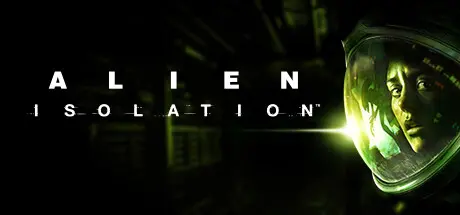
Alien: Isolation Free Download (Build 4940658 + ALL DLC)
Featured Replies

header.webp

Game Details

Release Name:ย Alien: Isolation

Game Version:ย Build 4940658

Release Date: 6 Oct, 2014

Publisher: SEGA, Feral Interactive (Mac), Feral Interactive (Linux)

Developer: Creative Assembly, Feral Interactive (Mac), Feral Interactive (Linux)

Based On:ย CSF & Goldberg

Alien: Isolation Direct Download - Game Review

HOW WILL YOU SURVIVE?
Discover the true meaning of fear in Alien: Isolation, a survival horror set in an atmosphere of constant dread and mortal danger. Fifteen years after the events of Alienโ„ข, Ellen Ripleyโ€™s daughter, Amanda enters a desperate battle for survival, on a mission to unravel the truth behind her mother's disappearance.
As Amanda, you will navigate through an increasingly volatile world as you find yourself confronted on all sides by a panicked, desperate population and an unpredictable, ruthless Alien.
Underpowered and underprepared, you must scavenge resources, improvise solutions and use your wits, not just to succeed in your mission, but to simply stay alive.
Overcome an ever-present deadly threat โ€“ Experience persistent fear as a truly dynamic and reactive Alien uses its senses to hunt you down and respond to your every move.
Improvise to survive โ€“ Hack systems, scavenge for vital resources and craft items to deal with each situation. Will you evade your enemies, distract them or face them head on?
Explore a world of mystery and betrayal โ€“ Immerse yourself in the detailed setting of Sevastopol, a decommissioned trading station on the fringes of space. Encounter a rich cast of inhabitants in a world scarred by fear and mistrust.


Game Screenshots

screenshot screenshot screenshot screenshot


Game Trailer


System Requirements

Minimum Requirements

Recommended Requirements

OS

Windows 7 (32bit)

Windows 7 (64bit)

Processor

3.16Ghz Intel Core 2 Duo E8500

AMD: Phenom II X4 955 - 4 Core, 3.2 GHz or Intel: Core 2 Quad Q9650 - 4 Core, 3.0 GHz

Memory

4 GB RAM

8 GB RAM

Graphics

1GB (AMD Radeon HD 5550 or Nvidia GeForce GT 430)

2GB (AMD GPU: AMD Radeon R9 200 Series or Nvidia GPU: Nvidia GeForce GTX660)

DirectX

Version 11

Version 11

Storage

35 GB available space

35 GB available space


Installation Guide

  1. No Installation Needed: The game is pre-installed. Just download and extract.

  2. Extract: Right-click the .zip or .rar file and select "Extract Here" or "Extract to folder".

  3. Run: Find Launcher.exe inside the folder and run it.

Game Data & Settings

  • Change Language: Edit the file located at steam_settings/Configs.user.ini

Important Notes

DLC List

Added DLCs

Alien: Isolation - Deluxe Edition DLC

Alien: Isolation - Season Pass

Alien: Isolation โ€“ The Trigger (Alien: Isolation - The Trigger)

Alien: Isolation - Lost Contact

Alien: Isolation Retail โ€“ DLC: Safe Haven (Alien: Isolation - Safe Haven)

Alien: Isolation Retail โ€“ DLC: Trauma (Alien: Isolation - Trauma)

Alien: Isolation - Corporate Lockdown

Alien: Isolation โ€“ Crew Expendable (Alien: Isolation - Crew Expendable)

Alien: Isolation - Last Survivor

๐Ÿ”ฅDOWNLOAD AREA๐Ÿ”ฅ

๐Ÿ”น19.73 GB๐Ÿ”น

Select the server you want to download with ZeiLink.

Download

  • Views 845
  • Created
  • Last Reply

Posted Images

Create an account or sign in to comment

Recently Browsing 0

  • No registered users viewing this page.

Account

Navigation

Search

Search

๐Ÿ”Ž Search Tip
For exact results, search using "game name" .
Without quotes, results may include unrelated titles.

Configure browser push notifications

Chrome (Android)
  1. Tap the lock icon next to the address bar.
  2. Tap Permissions โ†’ Notifications.
  3. Adjust your preference.
Chrome (Desktop)
  1. Click the padlock icon in the address bar.
  2. Select Site settings.
  3. Find Notifications and adjust your preference.
