



Skip to content
View in the app

A better way to browse. Learn more.

ZeiGames

A full-screen app on your home screen with push notifications, badges and more.

To install this app on iOS and iPadOS
  1. Tap the Share icon in Safari
  2. Scroll the menu and tap Add to Home Screen.
  3. Tap Add in the top-right corner.
To install this app on Android
  1. Tap the 3-dot menu (โ‹ฎ) in the top-right corner of the browser.
  2. Tap Add to Home screen or Install app.
  3. Confirm by tapping Install.

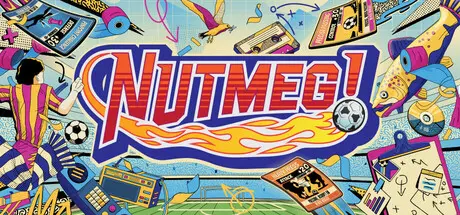
NUTMEG! A Nostalgic Deckbuilding Football Manager Free Download (v1.4)
Featured Replies

header.webp

Game Details

Release Name:ย NUTMEG! A Nostalgic Deckbuilding Football Manager

Game Version:ย v1.4 | Build 23764066

Release Date: 26 Mar, 2026

Publisher: Secret Mode

Developer: Sumo Digital, Sumo Digital Academy

Based On:ย CSF & Goldberg

NUTMEG! A Nostalgic Deckbuilding Football Manager Direct Download - Game Review

Become the gaffer of a classic football team and embark on a nostalgic 20-year journey up and down the English football Divisions through the 1980s and 1990s.

Pick your line-up and formations, and challenge the opposition in a fast-paced card battler with three points on the line in every match.

The only football game where getting cards is a good thing! Earn card packs by completing challenges. Combine cards to enhance your deck and bully the other team off the pitch.

Route one? Tiki-taka? Counter-attacking? Refine skills and strategies in training to earn extra card packs and humble your opponents when Saturday comes.

Pick your club, manage player transfers, scout and develop youth talent, and scrap for every place across four Divisions.

Manage the entire club from your desk. Control the finances, talk with the press, and hire and fire backroom staff. Don't get too distracted by any retro games on the computer...


Game Screenshots

screenshot screenshot screenshot screenshot


Game Trailer


System Requirements

Minimum Requirements

Recommended Requirements

OS

Windows 10 64-bit

Windows 11 64-bit

Processor

Intel i5-8250U or AMD Ryzen 3 2200U

Intel i5-9400 or AMD Ryzen 3 3100

Memory

4 GB RAM

8 GB RAM

Graphics

Integrated Graphics (Intel UHD 620 / Iris 655 or AMD Vega 6)

Nvidia GTX 1050Ti (4GB)

DirectX

-

-

Storage

8 GB available space

12 GB available space


Installation Guide

  1. No Installation Needed: The game is pre-installed. Just download and extract.

  2. Extract: Right-click the .zip or .rar file and select "Extract Here" or "Extract to folder".

  3. Run: Find RushGame.exe inside the folder and run it.

Game Data & Settings

  • Change Language: Edit the file located at steam_settings/Configs.user.ini

  • Save Data Location: */SaveGame/

Important Notes

๐Ÿ”ฅDOWNLOAD AREA๐Ÿ”ฅ

๐Ÿ”น1.48 GB๐Ÿ”น

Select the server you want to download with ZeiLink.

Download

  • DicDale changed the title to NUTMEG! A Nostalgic Deckbuilding Football Manager Free Download (v1.4)

  • Replies 1
  • Views 1.2k
  • Created
  • Last Reply

Top Posters In This Topic

Most Popular Posts

  • diealot
    diealot

    Thanks for updating this game to version 1.4 DicDale! Love You Palโค๏ธ

Posted Images

Thanks for updating this game to version 1.4 DicDale! Love You Palโค๏ธ

Create an account or sign in to comment

Recently Browsing 0

  • No registered users viewing this page.

Account

Navigation

Search

Search

๐Ÿ”Ž Search Tip
For exact results, search using "game name" .
Without quotes, results may include unrelated titles.

Configure browser push notifications

Chrome (Android)
  1. Tap the lock icon next to the address bar.
  2. Tap Permissions โ†’ Notifications.
  3. Adjust your preference.
Chrome (Desktop)
  1. Click the padlock icon in the address bar.
  2. Select Site settings.
  3. Find Notifications and adjust your preference.