



Skip to content
View in the app

A better way to browse. Learn more.

ZeiGames

A full-screen app on your home screen with push notifications, badges and more.

To install this app on iOS and iPadOS
  1. Tap the Share icon in Safari
  2. Scroll the menu and tap Add to Home Screen.
  3. Tap Add in the top-right corner.
To install this app on Android
  1. Tap the 3-dot menu (โ‹ฎ) in the top-right corner of the browser.
  2. Tap Add to Home screen or Install app.
  3. Confirm by tapping Install.

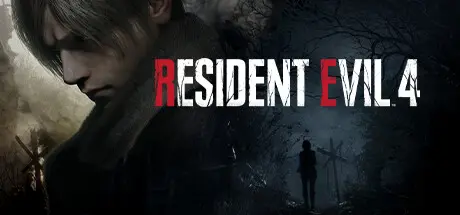
Resident Evil 4 Free Download (Build 22377325 + ALL DLC)
Featured Replies

header.webp

Game Details

Release Name:ย Resident Evil 4

Game Version:ย Build 22377325

Release Date: 23 Mar, 2023

Publisher: CAPCOM Co., Ltd.

Developer: CAPCOM Co., Ltd.

Based On:ย CSF & Goldberg

Resident Evil 4 Direct Download - Game Review

Survival is just the beginning.

Six years have passed since the biological disaster in Raccoon City.
Agent Leon S. Kennedy, one of the survivors of the incident, has been sent to rescue the president's kidnapped daughter.
He tracks her to a secluded European village, where there is something terribly wrong with the locals.
And the curtain rises on this story of daring rescue and grueling horror where life and death, terror and catharsis intersect.

Featuring modernized gameplay, a reimagined storyline, and vividly detailed graphics,
Resident Evil 4 marks the rebirth of an industry juggernaut.

Relive the nightmare that revolutionized survival horror.


Game Screenshots

screenshot screenshot screenshot screenshot


Game Trailer


System Requirements

Minimum Requirements

Recommended Requirements

OS

Windows 10 (64 bit)

Windows 10 (64 bit)/Windows 11 (64 bit)

Processor

Windows 10 (64 bit)

Windows 10 (64 bit)/Windows 11 (64 bit)

Memory

8 GB RAM

16 GB RAM

Graphics

AMD Radeon RX 560 with 4GB VRAM / NVIDIA GeForce GTX 1050 Ti with 4GB VRAM

AMD Radeon RX 5700 / NVIDIA GeForce GTX 1070

DirectX

Version 12

Version 12

Storage

-

-


Installation Guide

  1. No Installation Needed: The game is pre-installed. Just download and extract.

  2. Extract: Right-click the .zip or .rar file and select "Extract Here" or "Extract to folder".

  3. Run: Find re4.exe inside the folder and run it.

Game Data & Settings

  • Change Language: Edit the file located at steam_settings/Configs.user.ini

  • Save Data Location: *\userdata\<user-id>\2050650\remote\win64_save\

Important Notes

DLC List

Added DLCs

Resident Evil 4 Weapon Exclusive Upgrade Ticket x5 (A)

Resident Evil 4 Weapon Exclusive Upgrade Ticket x3 (D)

Resident Evil 4 Weapon Exclusive Upgrade Ticket x3 (C)

Resident Evil 4 Weapon Exclusive Upgrade Ticket x3 (B)

Resident Evil 4 Weapon Exclusive Upgrade Ticket x3 (A)

Resident Evil 4 Weapon Exclusive Upgrade Ticket x1 (F)

Resident Evil 4 Weapon Exclusive Upgrade Ticket x1 (E)

Resident Evil 4 Weapon Exclusive Upgrade Ticket x1 (D)

Resident Evil 4 Weapon Exclusive Upgrade Ticket x1 (C)

Resident Evil 4 Weapon Exclusive Upgrade Ticket x1 (B)

Resident Evil 4 Weapon Exclusive Upgrade Ticket x1 (A)

Resident Evil 4 - The Mercenaries

Resident Evil 4 Charm: 'Green Herb'

Resident Evil 4 Charm: 'Handgun Ammo'

Resident Evil 4 Attachรฉ Case: 'Classic'

Resident Evil 4 Attachรฉ Case: 'Gold'

Resident Evil 4 Leon Accessory: 'Sunglasses (Sporty)'

Resident Evil 4 Deluxe Weapon: 'Skull Shaker'

Resident Evil 4 Deluxe Weapon: 'Sentinel Nine'

Resident Evil 4 'Original Ver.' Soundtrack Swap

Resident Evil 4 Leon Costume & Filter: 'Villain'

Resident Evil 4 Leon Costume & Filter: 'Hero'

Resident Evil 4 Leon & Ashley Costumes: 'Romantic'

Resident Evil 4 Leon & Ashley Costumes: 'Casual'

SteamDB Unknown App 2109302

Resident Evil 4 Treasure Map: Expansion

Resident Evil 4 - Separate Ways

๐Ÿ”ฅDOWNLOAD AREA๐Ÿ”ฅ

๐Ÿ”น66.70 GB๐Ÿ”น

Select the server you want to download with ZeiLink.

Download

  • 3 months later...
  • Replies 18
  • Views 11.1k
  • Created
  • Last Reply

Top Posters In This Topic

Most Popular Posts

  • theambassador
    theambassador

    Denuvo removed from RESIDENT EVIL 4 https://steamdb.info/patchnotes/21521672/

  • Hello, the game works fine all DLC works but separate ways DLC doesnt appear in the game, how do i enable it?

  • Already tried and still doesn't work

Posted Images

would like to ask why does it load then it force close real quick? i did the run as admin but it's the same

  • 1 month later...
  • DicDale changed the title to Resident Evil 4 Free Download (Build 21521672 + ALL DLC)
  • 1 month later...
  • DicDale changed the title to Resident Evil 4 Free Download (Build 22154679 + ALL DLC)

I've never had an issue getting my controller to work properly before. I'm using a Vader 4 Pro and its 2.4 GHz dongle, but the game doesn't recognize it. I've even tried running Launcher.exe (w/ admin) through Steam with Steam Input enabled, and it doesn't see it. Any ideas?

Edit: Finally figured it out. For anyone in the future with the same issues, I had the controller in D-input mode. Set it to X-input mode by holding O + X buttons, and it's working properly with the dongle.

Edited by a_goblin

Is there any way to run the game if it redirected me to STEAM requiring licences? I forgot to turn off my firewall, and it looks like that's the problem. The download time is too long, and I don't want to repeat it again.

2 minutes ago, Shichibukai said:

Is there any way to run the game if it redirected me to STEAM requiring licences? I forgot to turn off my firewall, and it looks like that's the problem. The download time is too long, and I don't want to repeat it again.

NVM I already fixed it. I forgot that the launcher exe is the app that I need to open

how to save the game progress when leaving? i thought i saved but my progress gets deleted.

Create an account or sign in to comment

Recently Browsing 0

  • No registered users viewing this page.

Account

Navigation

Search

Search

๐Ÿ”Ž Search Tip
For exact results, search using "game name" .
Without quotes, results may include unrelated titles.

Configure browser push notifications

Chrome (Android)
  1. Tap the lock icon next to the address bar.
  2. Tap Permissions โ†’ Notifications.
  3. Adjust your preference.
Chrome (Desktop)
  1. Click the padlock icon in the address bar.
  2. Select Site settings.
  3. Find Notifications and adjust your preference.
