



Skip to content
View in the app

A better way to browse. Learn more.

ZeiGames

A full-screen app on your home screen with push notifications, badges and more.

To install this app on iOS and iPadOS
  1. Tap the Share icon in Safari
  2. Scroll the menu and tap Add to Home Screen.
  3. Tap Add in the top-right corner.
To install this app on Android
  1. Tap the 3-dot menu (โ‹ฎ) in the top-right corner of the browser.
  2. Tap Add to Home screen or Install app.
  3. Confirm by tapping Install.

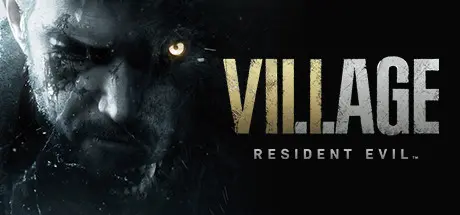
Resident Evil Village Free Download (v1.2.3.9 + ALL DLC)
Featured Replies

header.webp

Game Details

Release Name:ย Resident Evil Village

Game Version:ย v1.2.3.9 | Build 22373341

Release Date: 6 May, 2021

Publisher: CAPCOM Co., Ltd.

Developer: CAPCOM Co., Ltd.

Based On:ย CSF & Goldberg

Resident Evil Village Direct Download - Game Review

Experience survival horror like never before in the eighth major installment in the storied Resident Evil franchise - Resident Evil Village.

Set a few years after the horrifying events in the critically acclaimed Resident Evil 7 biohazard, the all-new storyline begins with Ethan Winters and his wife Mia living peacefully in a new location, free from their past nightmares. Just as they are building their new life together, tragedy befalls them once again.

  • First-Person Action โ€“ Players will assume the role of Ethan Winters and experience every up-close battle and terrifying pursuit through a first-person perspective.

  • Familiar Faces and New Foes โ€“ Chris Redfield has typically been a hero in the Resident Evil series, but his appearance in Resident Evil Village seemingly shrouds him in sinister motives. A host of new adversaries inhabiting the village will relentlessly hunt Ethan and hinder his every move as he attempts to make sense of the new nightmare he finds himself in.


Game Screenshots

screenshot screenshot screenshot screenshot


Game Trailer


System Requirements

Minimum Requirements

Recommended Requirements

OS

Windows 10 (64 bit)

Windows 10 (64 bit)/Windows 11 (64 bit)

Processor

AMD Ryzen 3 1200 ๏ผ Intel Core i5-7500

AMD Ryzen 5 3600 ๏ผ Intel Core i7 8700

Memory

8 GB RAM

16 GB RAM

Graphics

AMD Radeon RX 560 with 4GB VRAM ๏ผ NVIDIA GeForce GTX 1050 Ti with 4GB VRAM

AMD Radeon RX 5700 ๏ผ NVIDIA GeForce GTX 1070

DirectX

Version 12

Version 12

Storage

-

-


Installation Guide

  1. No Installation Needed: The game is pre-installed. Just download and extract.

  2. Extract: Right-click the .zip or .rar file and select "Extract Here" or "Extract to folder".

  3. Run: Find re8.exe inside the folder and run it.

Game Data & Settings

  • Change Language: Edit the file located at steam_settings/Configs.user.ini

Important Notes

DLC List

Added DLCs

Resident Evil Village - Street Wolf Outfit

Resident Evil Village - Wintersโ€™ Expansion

Resident Evil Village - Survival Resources Pack

Resident Evil Village - Mr. Raccoon Weapon Charm

Resident Evil Village - Extra Content Shop All Access Voucher

Resident Evil Village - Trauma Pack

๐Ÿ”ฅDOWNLOAD AREA๐Ÿ”ฅ

๐Ÿ”น36.13 GB๐Ÿ”น

Select the server you want to download with ZeiLink.

Download

  • DicDale changed the title to Resident Evil Village Free Download (v1.1.0.6 + ALL DLC)
  • 3 months later...
  • Replies 10
  • Views 4.6k
  • Created
  • Last Reply

Top Posters In This Topic

Posted Images

When i run the game it says "not enough space available space on your disk drive" even though i have a lot of space

5 minutes ago, DicDale said:

Send game folder and warning screen shoots.

image.png

4 minutes ago, asdsdd said:

image.png

image.pngimage.png

12 minutes ago, DicDale said:

Can you try this RUNE version?: Vikingfile

Also run game as a admin.

do i just copy everything in the RUNE to the re8 file?

29 minutes ago, DicDale said:

Yeah pepeok

i added the two highlighted files in the rune and still the same problem

image.png

3 minutes ago, DicDale said:

Okey i will check, can you explain when getting this error? game start or game save?

this happens when i try to launch/start the game

Create an account or sign in to comment

Recently Browsing 0

  • No registered users viewing this page.

Account

Navigation

Search

Search

๐Ÿ”Ž Search Tip
For exact results, search using "game name" .
Without quotes, results may include unrelated titles.

Configure browser push notifications

Chrome (Android)
  1. Tap the lock icon next to the address bar.
  2. Tap Permissions โ†’ Notifications.
  3. Adjust your preference.
Chrome (Desktop)
  1. Click the padlock icon in the address bar.
  2. Select Site settings.
  3. Find Notifications and adjust your preference.
