



Skip to content
View in the app

A better way to browse. Learn more.

ZeiGames

A full-screen app on your home screen with push notifications, badges and more.

To install this app on iOS and iPadOS
  1. Tap the Share icon in Safari
  2. Scroll the menu and tap Add to Home Screen.
  3. Tap Add in the top-right corner.
To install this app on Android
  1. Tap the 3-dot menu (โ‹ฎ) in the top-right corner of the browser.
  2. Tap Add to Home screen or Install app.
  3. Confirm by tapping Install.

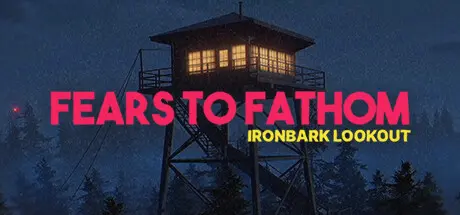
Fears to Fathom - Ironbark Lookout Free Download (v1.6)
Featured Replies

header.webp

Game Details

Release Name:ย Fears to Fathom - Ironbark Lookout

Game Version:ย v1.6 | Build 12575327

Release Date: 20 Oct, 2023

Publisher: Rayll Studios

Developer: Rayll Studios

Based On:ย CSF & Goldberg

Fears to Fathom - Ironbark Lookout Direct Download - Game Review

Fears to Fathom is an episodic psychological horror game where each episode unveils a short story narrated by the ones who survived.

You're browsing the fourth installment of the Fears to Fathom anthology.

Jack Nelson, a 24 year old fire lookout, transferred to a new outpost. As he settled into his new home, he couldn't shake the feeling that something was off, little did he know what was transpiring down in Ironbark State Park. He survived as he made the right choices.


Game Screenshots

screenshot screenshot screenshot screenshot


Game Trailer


System Requirements

Minimum Requirements

Recommended Requirements

OS

Windows 10

Windows 10 64-bit

Processor

Intel Core i5-2300 | AMD FX-6350

Intel Core i5-4670 | AMD Ryzen5 1600

Memory

8 GB RAM

16 GB RAM

Graphics

NVIDIA GeForce GTX 650 Ti, 2 GB | AMD Radeon R7 360, 2 GB

NVIDIA GTX 1060 6GB or AMD Radeon RX 580 8GB

DirectX

Version 11

Version 11

Storage

5 GB available space

5 GB available space


Installation Guide

  1. No Installation Needed: The game is pre-installed. Just download and extract.

  2. Extract: Right-click the .zip or .rar file and select "Extract Here" or "Extract to folder".

  3. Run: Find Fears to Fathom - Ironbark Lookout.exe inside the folder and run it.

Game Data & Settings

  • Change Language: Edit the file located at steam_settings/Configs.user.ini

Important Notes

๐Ÿ”ฅDOWNLOAD AREA๐Ÿ”ฅ

๐Ÿ”น1.52 GB๐Ÿ”น

Select the server you want to download with ZeiLink.

Download

  • Views 1.1k
  • Created
  • Last Reply

Posted Images

Create an account or sign in to comment

Recently Browsing 0

  • No registered users viewing this page.

Account

Navigation

Search

Search

๐Ÿ”Ž Search Tip
For exact results, search using "game name" .
Without quotes, results may include unrelated titles.

Configure browser push notifications

Chrome (Android)
  1. Tap the lock icon next to the address bar.
  2. Tap Permissions โ†’ Notifications.
  3. Adjust your preference.
Chrome (Desktop)
  1. Click the padlock icon in the address bar.
  2. Select Site settings.
  3. Find Notifications and adjust your preference.
