



Skip to content
View in the app

A better way to browse. Learn more.

ZeiGames

A full-screen app on your home screen with push notifications, badges and more.

To install this app on iOS and iPadOS
  1. Tap the Share icon in Safari
  2. Scroll the menu and tap Add to Home Screen.
  3. Tap Add in the top-right corner.
To install this app on Android
  1. Tap the 3-dot menu (โ‹ฎ) in the top-right corner of the browser.
  2. Tap Add to Home screen or Install app.
  3. Confirm by tapping Install.

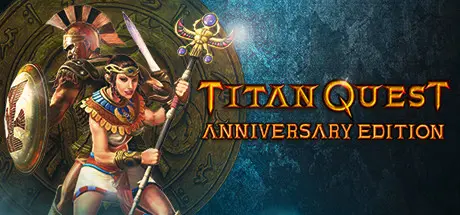
Titan Quest Anniversary Edition Free Download (v2.10.21415 + ALL DLC + Online)
Featured Replies

header.webp

Game Details

Release Name:ย Titan Quest Anniversary Edition

Game Version:ย v2.10.21415 | Build 19471007

Release Date: 31 Aug, 2016

Publisher: THQ Nordic

Developer: Iron Lore Entertainment, THQ Nordic

Based On:ย CSF & Goldberg

Titan Quest Anniversary Edition Direct Download - Game Review

From Age of Empires co-creator Brian Sullivan and Braveheart writer Randall Wallace comes an innovative action role playing game set in ancient Greece, Egypt and Asia. The Titans have escaped their eternal prison, wreaking havoc upon the earth. The gods seek a hero who can turn the tide in an epic struggle that will determine the fate of both men and gods.

In this epic quest of good versus evil, players will encounter the greatest villains of Greek mythology, brave the attacks of Cerberus, and hazard the banks of the River Styx. Players will interpret the prophecies of the blind seer Tiresias, fight alongside Agamemnon and Achilles, and use the wiles of Odysseus to conquer this dark new adventure.

  • Explore the Ancient World - Unlock arcane mysteries and battle the beasts of mythology as you journey to the Parthenon, Great Pyramids, Hanging Gardens of Babylon, The Great Wall and other legendary locations

  • Atmospheric Graphics - Take a hero's journey through authentic Ancient World settings crafted in stunning, realistic, 3D detail

  • Conquer Monsters of Legend - Battle horrific monsters and mythical beasts in a story-driven campaign that will determine the fate of all existence

  • Highly Customizable Characters - Build and customize your characters with 28 classes and over 1000 pieces of unique and legendary items to create the ultimate champion

  • Online Multiplayer Gameplay - Challenge others to experience your map creations in fast-action, 2-6 player online cooperative gameplay

  • Create Your Own Worlds - Create your own maps with the easy-to-use World Editor for endless adventuring


Game Screenshots

screenshot screenshot screenshot screenshot


Game Trailer


System Requirements

Minimum Requirements

Recommended Requirements

OS

Windows XP / Vista / 7 / 8 / 10 32 or 64 bit

Windows XP / Vista / 7 / 8 /10 32 or 64 bit

Processor

2.0 GHz CPU

3.0 GHz CPU Dual or Quad Core

Memory

1 GB RAM

2 GB RAM

Graphics

128 MB NVIDIA GeForce 6800 series or ATI Radeon X800 series or equivalent

256MB NVIDIA or AMD card

DirectX

Version 9.0c

Version 9.0c

Storage

5 GB available space

5 GB available space


Installation Guide

  1. No Installation Needed: The game is pre-installed. Just download and extract.

  2. Extract: Right-click the .zip or .rar file and select "Extract Here" or "Extract to folder".

  3. Run: Find TQ.exe inside the folder and run it.

Multiplayer & Online (Optional)

  • Play Online: Download the Online Fix file and apply it to the game folder.

  • Please go to the online fix page and read the guide.

Game Data & Settings

  • Change Language: Edit the file located at steam_settings/Configs.user.ini

  • Save Data Location: %USERPROFILE%/My Documents/My Games/Titan Quest - Immortal Throne/SaveData/

Important Notes

DLC List

Added DLCs

Titan Quest: Eternal Embers

Titan Quest: Atlantis

Titan Quest: Ragnarรถk Soundtrack

Titan Quest: Ragnarรถk

๐Ÿ”ฅDOWNLOAD AREA๐Ÿ”ฅ

๐Ÿ”น15.46 GB๐Ÿ”น

Select the server you want to download with ZeiLink.

Download

Online Fix - (RAR pass: rexagames.com)

  • Views 396
  • Created
  • Last Reply

Posted Images

Create an account or sign in to comment

Recently Browsing 0

  • No registered users viewing this page.

Account

Navigation

Search

Search

๐Ÿ”Ž Search Tip
For exact results, search using "game name" .
Without quotes, results may include unrelated titles.

Configure browser push notifications

Chrome (Android)
  1. Tap the lock icon next to the address bar.
  2. Tap Permissions โ†’ Notifications.
  3. Adjust your preference.
Chrome (Desktop)
  1. Click the padlock icon in the address bar.
  2. Select Site settings.
  3. Find Notifications and adjust your preference.
