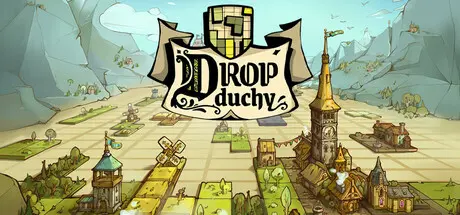
August 24, 20251 yr Drop Duchy Game DetailsRelease Name: Drop DuchyGame Version: v1.2.1 | Build 21117176Release Date: 5 May, 2025Publisher: The Arcade Crew, DotemuDeveloper: Sleepy Mill StudioBased On: CSF & GoldbergDrop Duchy Direct Download - Game OverviewDrop Duchy takes on the iconic geometric puzzle gameplay we all know and love with a fresh perspective: instead of simply clearing lines, you'll be thoughtfully building a realm using pieces of various shapes and types to overcome enemy challenges.A mix of deckbuilding, puzzle and rogue-lite, the game offers a new gameplay designed to hone your appetite as a block-stacking tactician. Optimization is key to collecting precious resources, protecting your castle, and building your army.Defeat is not the end, though: use the experience gained in previous runs to unlock even more content!Select your path, gather your troops to outnumber your enemies, and reclaim the regions under their control. But be careful: letting your castle take too much damage can lead to defeat.Successful battles lead your forces down branching, decision-filled paths in a march to storm the enemy fortress.If your army falls before capturing the bastion, you can quickly jump back in and try a new strategy, thanks to a cleverly designed gameplay loop.Adapt, conquer, and keep the action moving!Drop Duchy Screenshots Drop Duchy TrailerDrop Duchy System Requirements Minimum RequirementsRecommended Requirements OSWindows 10Windows 10 ProcessorIntel Core i5-650 or AMD FX-6300Intel core i7-3770K or AMD FX-8350 Memory4 GB RAM8 GB RAM GraphicsNvidia GeForce GTX 650 TI, 2 GB or AMD Radeon R7 360, 2 GB or Intel ARC A380, 6 GBNvidia GeForce GTX 770, 2 GB or AMD Radeon R9 380, 4 GB or Intel ARC A580, 8 GB DirectXVersion 12Version 12 Storage1 GB available space1 GB available space How to Install Drop DuchyNo Installation Needed: The game is pre-installed. Just download and extract.Extract: Right-click the .zip or .rar file and select "Extract Here" or "Extract to folder".Run: Find Drop Duchy.exe inside the folder and run it.Game Data & SettingsChange Language: Edit the file located at steam_settings/Configs.user.iniSave Data Location: %USERPROFILE%/AppData/Local/DropDuchy\Saved\SaveGames\UsersImportant NotesTo support the Game Developer, Get It On Steam.DLC ListAdded DLCsDrop Duchy - The NorthDrop Duchy - The Tribe🔥DOWNLOAD AREA🔥🔹1.70 GB🔹Select the server you want to download with ZeiLink.Download





Create an account or sign in to comment