



Skip to content
View in the app

A better way to browse. Learn more.

ZeiGames

A full-screen app on your home screen with push notifications, badges and more.

To install this app on iOS and iPadOS
  1. Tap the Share icon in Safari
  2. Scroll the menu and tap Add to Home Screen.
  3. Tap Add in the top-right corner.
To install this app on Android
  1. Tap the 3-dot menu (โ‹ฎ) in the top-right corner of the browser.
  2. Tap Add to Home screen or Install app.
  3. Confirm by tapping Install.

Call of Duty: Black Ops 6 Free Download (Campaign Only)
Featured Replies

header.webp

Game Details

Release Name:ย Call of Dutyยฎ: Black Ops 6

Game Version:ย Campaign Only

Release Date: 1 Nov, 2024

Publisher: Activision

Developer: Treyarch, Raven Software, Beenox, High Moon Studios, Activision Shanghai, Sledgehammer Games, Infinity Ward, Demonware

Based On:ย .r4v3n

Call of Dutyยฎ: Black Ops 6 Direct Download - Game Review

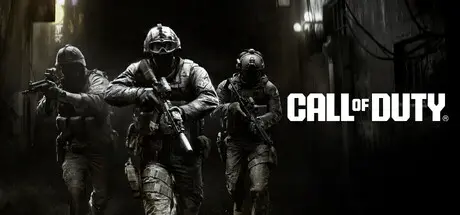
Forced to go rogue. Hunted from within. This is Call of Dutyยฎ: Black Ops 6.

Developed by Treyarch and Raven, Black Ops 6 is a spy action thriller set in the early 90s, a period of transition and upheaval in global politics, characterized by the end of the Cold War and the rise of the United States as a single superpower. With a mind-bending narrative, and unbound by the rules of engagement, this is signature Black Ops.

The Black Ops 6 Campaign provides dynamic moment-to-moment gameplay that includes a variety of play spaces with blockbuster set pieces and action-packed moments, high-stakes heists, and cloak-and-dagger spy activity.

In a best-in-class Multiplayer experience, players will test their skills across an immense line up of maps and modes.

Black Ops 6 also marks the epic return of Round-Based Zombies, the fan-favorite mode where players will take down hordes of the undead. Fight across six new maps, with the new Directed Mode for those wanting to witness the Zombies story with a guided experience, and Grief, a mode for those looking for a more competitive experience.


Game Screenshots

screenshot screenshot screenshot screenshot


Game Trailer


System Requirements

Minimum Requirements

Recommended Requirements

OS

Windowsยฎ 10 64 Bit (latest update)

Windowsยฎ 10 64 Bit (latest update) or Windowsยฎ 11 64 Bit (latest update)

Processor

AMD Ryzenโ„ข 5 1400 or Intelยฎ Coreโ„ข i5-6600

AMD Ryzenโ„ข 5 1600X or Intelยฎ Coreโ„ข i7-6700K

Memory

8 GB RAM

12 GB RAM

Graphics

AMD Radeonโ„ข RX 470, NVIDIAยฎ GeForceยฎ GTX 960 or Intelยฎ Arcโ„ข A580

AMD Radeonโ„ข RX 6600XT or NVIDIAยฎ GeForceยฎ GTX 1080Ti / RTX 3060

DirectX

Version 12

Version 12

Storage

-

-


Installation Guide

  1. No Installation Needed: The game is pre-installed. Just download and extract.

  2. Extract: Right-click the .zip or .rar file and select "Extract Here" or "Extract to folder".

  3. Run: Find !start_sp24.bat.exe inside the folder and run it.

  4. A console window will open keep it open.

  5. The game file path must be in English characters.

Important Notes

๐Ÿ”ฅDOWNLOAD AREA๐Ÿ”ฅ

๐Ÿ”น46.96 GB๐Ÿ”น

Select the server you want to download with ZeiLink.

Contains only English language.

Download

  • 1 month later...
  • Replies 5
  • Views 3.4k
  • Created
  • Last Reply

Top Posters In This Topic

Posted Images

1 hour ago, DicDale said:

Game path needed a English characters.

I got through that afterwards thanks. But now the issue is the game keeps crashing on launch.

  • 2 months later...

I'm really confused on how to fix invalid install path. What do I do exactly?

  • 2 weeks later...
On 1/5/2026 at 10:13 PM, ItzAliC said:

I'm really confused on how to fix invalid install path. What do I do exactly?

the game path needs to be in english characters

Create an account or sign in to comment

Recently Browsing 0

  • No registered users viewing this page.

Account

Navigation

Search

Search

๐Ÿ”Ž Search Tip
For exact results, search using "game name" .
Without quotes, results may include unrelated titles.

Configure browser push notifications

Chrome (Android)
  1. Tap the lock icon next to the address bar.
  2. Tap Permissions โ†’ Notifications.
  3. Adjust your preference.
Chrome (Desktop)
  1. Click the padlock icon in the address bar.
  2. Select Site settings.
  3. Find Notifications and adjust your preference.
