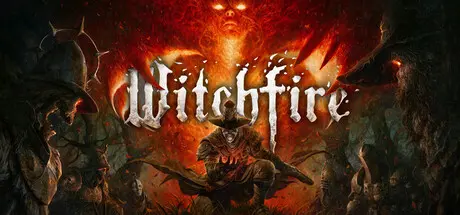
August 23, 20251 yr Witchfire Game DetailsRelease Name: WitchfireGame Version: v0.9.5 | Build 24110211Release Date: 23 Sep, 2024Publisher: The AstronautsDeveloper: The AstronautsBased On: CSF & GoldbergWitchfire Direct Download - Game OverviewWitchfire is a single-player RPG shooter from the creative minds behind Painkiller and Bulletstorm. Embark on perilous expeditions, vanquishing foes to enhance your powers and arsenal. Scavenge valuable resources and retreat to your sanctuary, or push your luck by confronting Familiars— the powerful guardians of the witch.Skill and knowledge are essential for success against the Witch of the Black Sea and her witchfire-fueled army. If you die, return to the battlefield for a one-time chance to reclaim what you lost, or attack again with a new plan.Explore vast, immersive biomes and choose your battleground to confront the witch's forces. Each completed encounter strengthens you and your arsenal through the roguelite system called Arcana. There are countless ways to build your preyer and dominate the witch.Only the most wicked sinners are transformed into preyers, undead assassins sustained by witchfire flowing through their veins. In the base of operations known as the Hermitory, you can choose from a wide selection of distinctive weapons, spells, and artifacts to build your own preyer.On each expedition, you can extract your looted items or, if you feel confident, confront the witch’s Familiar to unlock new areas and powerful items and upgrades.Piece together a story from the past to save the future. Investigate ships crashing on the verge of the witch’s land and locate the artifact that can tip the scales in the ongoing war between the Church and the witches.During the Early Access period, Witchfire will undergo changes, including new areas, enemies, weapons, and tools of destruction. Help us shape the game to reach its full potential!Witchfire Screenshots Witchfire TrailerWitchfire System Requirements Minimum RequirementsRecommended Requirements OS64-bit Windows 1064-bit Windows 10 / Windows 11 ProcessorIntel Core i5-6600K / AMD Ryzen 5 1500XIntel Core i5-9400F / AMD Ryzen 5 3600 or better Memory12 GB RAM16 GB RAM GraphicsNvidia GTX 1050 Ti / AMD RX 470 (4GB VRAM or more)Nvidia RTX 2060 / AMD RX 5700 or better (6GB VRAM or more) DirectXVersion 12Version 12 Storage55 GB available space55 GB available space How to Install WitchfireNo Installation Needed: The game is pre-installed. Just download and extract.Extract: Right-click the .zip or .rar file and select "Extract Here" or "Extract to folder".Run: Find Witchfire.exe inside the folder and run it.Game Data & SettingsChange Language: Edit the file located at steam_settings/Configs.user.iniSave Data Location: %USERPROFILE%/AppData/Local/Witchfire/Saved/SaveGamesImportant NotesTo support the Game Developer, Get It On Steam.DLC ListAdded DLCsSea of Stars: Throes of the Watchmaker DLCSea of Stars - Digital Artbook🔥DOWNLOAD AREA🔥🔹48.13 GB🔹Select the server you want to download with ZeiLink.Download





Create an account or sign in to comment