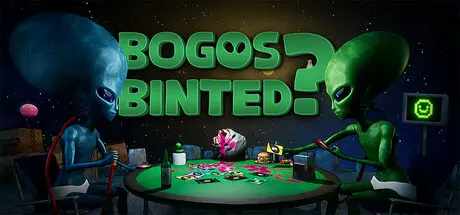
August 23, 20251 yr Bogos Binted? Game DetailsRelease Name: Bogos Binted?Game Version: v1.1.1 | Build 19614034Release Date: 28 Jan, 2026Publisher: GameDev.ist, underbadger, Gamersky GamesDeveloper: underbadgerBased On: CSF & OFMEBogos Binted? Direct Download - Game OverviewWelcome to a sinful night with the galaxy’s craziest aliens! Not every alien visits Earth to witness the indomitable human spirit. Some just want to chill on the Moon's surface and play games. But of course, these aren’t normal games. Alien humor is... how should we put it... a bit off.In this first-person, four-player, online multiplayer space adventure, every alien at the table must do whatever it takes to win in a variety of tabletop games. You’ll craft sneaky strategies, tell outrageous lies, and blow up the heads of so-called “friends.”Take your seat in Bogos Binted? right now and dive into chaotic fun with the galaxy’s most disposable, big-eyed companions. Just remember: no one here tells you to “play fair.”They’re aliens. They don’t even speak English.Bogos Binted? Screenshots Bogos Binted? TrailerBogos Binted? System Requirements Minimum RequirementsRecommended Requirements OSWindows® 10 (64-bit)Windows® 11 (64-bit) ProcessorIntel Core i3-8100 / Ryzen 3 2200GIntel Core i5-8400 / Ryzen 5 2600 Memory4 GB RAM8 GB RAM GraphicsGTX 1030 / Radeon RX 550GTX1060 / Radeon RX 580 DirectXVersion 11Version 11 Storage800 MB available space800 MB available space How to Install Bogos Binted?No Installation Needed: The game is pre-installed. Just download and extract.Extract: Right-click the .zip or .rar file and select "Extract Here" or "Extract to folder".Run: Sign in Steam Account and Find ProjectCards.exe inside the folder and run it.Important NotesTo support the Game Developer, Get It On Steam.🔥DOWNLOAD AREA🔥🔹814 MB🔹Select the server you want to download with ZeiLink.Download





Create an account or sign in to comment