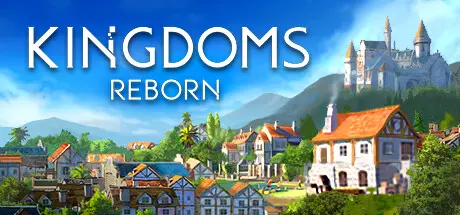
August 21, 20251 yr Kingdoms Reborn Game DetailsRelease Name: Kingdoms RebornGame Version: v0.264 | Build 16599550Release Date: 2 Nov, 2020Publisher: EarthshineDeveloper: EarthshineBased On: CSF & GoldbergKingdoms Reborn Direct Download - Game OverviewKingdoms Reborn is a city builder with simulated citizens, set in a procedurally-generated world map. Grow your kingdom through the eras from a tiny medieval hamlet into a prosperous global empire! Cooperate or compete in real-time with your friends in multiplayer mode.Duchies, Emirates, Norsemen, Shogunate, and Tlatoa, with more exciting cultures to come in the future. Each offering a unique art and gameplay experience to suit your strategic style.Increase your population and propel your kingdom forward by researching technologies. Navigate through the Dark Age, Middle Age, Enlightenment Age, and Industrial Age. Each era unlocks a wealth of new buildings, bonuses, and upgrades that you can research and unlock.Forest, Jungle, Desert, Savanna, Boreal Forest, and Tundra, each biome offers a distinctive set of challenges and opportunities throughout your kingdom-building journey, compelling you to strategize and adapt based on your starting location to thrive.Challenge friends to see who can build the most advanced kingdom, showcasing your strategic prowess. Or choose collaboration, uniting with friends to construct a shared kingdom, blending your visions and strengths for a collective masterpiece (up to 18 players)Draw cards of buildings, actions, policy, and bonus cards, used to expand and upgrade your kingdom. With each draw being a completely new set of choices.Kingdoms Reborn Screenshots Kingdoms Reborn TrailerKingdoms Reborn System Requirements Minimum RequirementsRecommended Requirements OSWindows 10 (64-Bit)Windows 10 (64-Bit) ProcessorIntel Core I5-2500K (3.30 GHz 4-Cores) or equivalent AMD-HardwareIntel Core i7-7700k (4.2GHz 4 Cores) or equivalent AMD-Hardware Memory8 GB RAM8 GB RAM GraphicsDedicated graphics card, GTX 750 Ti 2GBDedicated graphics card, GTX 1660 6GB DirectXVersion 11Version 11 Storage5 GB available space10 GB available space How to Install Kingdoms RebornNo Installation Needed: The game is pre-installed. Just download and extract.Extract: Right-click the .zip or .rar file and select "Extract Here" or "Extract to folder".Run: Find kingdomsreborn.exe inside the folder and run it.Multiplayer & Online (Optional)Play Online: Download the Online Fix file and apply it to the game folder.Please go to the online fix page and read the guide.Game Data & SettingsChange Language: Edit the file located at steam_settings/Configs.user.iniSave Data Location: %USERPROFILE%/AppData/Local/PunCity\Saved\GameSavesImportant NotesTo support the Game Developer, Get It On Steam.🔥DOWNLOAD AREA🔥🔹2.84 GB🔹Select the server you want to download with ZeiLink.DownloadOnline Fix - (RAR pass: rexagames.com)





Create an account or sign in to comment