



Skip to content
View in the app

A better way to browse. Learn more.

ZeiGames

A full-screen app on your home screen with push notifications, badges and more.

To install this app on iOS and iPadOS
  1. Tap the Share icon in Safari
  2. Scroll the menu and tap Add to Home Screen.
  3. Tap Add in the top-right corner.
To install this app on Android
  1. Tap the 3-dot menu (โ‹ฎ) in the top-right corner of the browser.
  2. Tap Add to Home screen or Install app.
  3. Confirm by tapping Install.

Foundation Free Download (v1.11.0.17 + Guivre Garden DLC)
Featured Replies

header.webp

Game Details

Release Name:ย Foundation

Game Version:ย v1.11.0.17 | Build 22799197

Release Date: 31 Jan, 2025

Publisher: Polymorph Games

Developer: Polymorph Games

Based On:ย CSF & Goldberg

Foundation Direct Download - Game Review

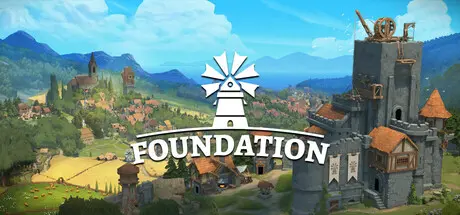
Foundation is a gridless medieval city builder where you create modular buildings, shape organic cities and manage its villagers!
Foundation combines free-building tools and procedural generation to create the ultimate organic city-building experience.
Assign jobs, create production chains, establish trade. In Foundation, your creations come to life!
Foundation offers various difficulty levels, so you can play the way you want! Choose an Aspiration to discover new ways to play, or just play in Creative mode, relax and enjoy the view!

FEATURES

  • An advanced gridless City Building experience, with unlimited generated maps and almost no construction constraints.

  • Free-building tool: Create modular buildings from individual parts, beautify and transform them into majestic monuments!

  • Organic development with our unique Painting tool: Guide your villagers by defining areas for building homes, decide where to pave roads and set patrols, designate forest extraction zones, and more!

  • Manage your village: Develop production chains, tax your villagers, trade with neighboring villages, or fight for the King. There are multiple ways to create a successful economy!

  • Progress with the three Estates of the Realm: Three distinct progress paths await you: Labor, Clergy or Kingdom. You can either specialize in one or combine all three.

  • Tailor your gaming experience: Select an Aspiration, adjust the difficulty level or build without constraints by playing in Creative Mode.

  • Full modding integration!

  • Foundation Original Soundtrack: Immerse yourself in over 100 minutes of atmospheric medieval music crafted by the award-winning composers at Audinity.

  • and much more!


Game Screenshots

screenshot screenshot screenshot screenshot


Game Trailer


System Requirements

Minimum Requirements

Recommended Requirements

OS

Windows 10

Windows 10

Processor

Intel Core i5-4460

Intel Core i7-6700K

Memory

8 GB RAM

16 GB RAM

Graphics

GTX 960 / R9 290 - 3 GB Video Memory

RTX 2060

DirectX

-

-

Storage

-

-


Installation Guide

  1. No Installation Needed: The game is pre-installed. Just download and extract.

  2. Extract: Right-click the .zip or .rar file and select "Extract Here" or "Extract to folder".

  3. Run: Find Foundation.exe inside the folder and run it.

Game Data & Settings

  • Change Language: Edit the file located at steam_settings/Configs.user.ini

Important Notes

DLC List

Added DLCs

Foundation Guivre Garden

๐Ÿ”ฅDOWNLOAD AREA๐Ÿ”ฅ

๐Ÿ”น3.27 GB๐Ÿ”น

Select the server you want to download with ZeiLink.

Download

  • 3 months later...
  • Replies 2
  • Views 2.2k
  • Created
  • Last Reply

Top Posters In This Topic

Posted Images

  • 2 weeks later...
  • DicDale changed the title to Foundation Free Download (v1.11.0.17 + Guivre Garden DLC)

Create an account or sign in to comment

Recently Browsing 0

  • No registered users viewing this page.

Account

Navigation

Search

Search

๐Ÿ”Ž Search Tip
For exact results, search using "game name" .
Without quotes, results may include unrelated titles.

Configure browser push notifications

Chrome (Android)
  1. Tap the lock icon next to the address bar.
  2. Tap Permissions โ†’ Notifications.
  3. Adjust your preference.
Chrome (Desktop)
  1. Click the padlock icon in the address bar.
  2. Select Site settings.
  3. Find Notifications and adjust your preference.