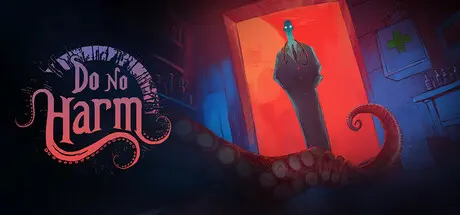
August 19, 20251 yr Do No Harm Game DetailsRelease Name: Do No HarmGame Version: v1.2.7 | Build 23009876Release Date: 6 Mar, 2025Publisher: Darts Games, Hawthorn GamesDeveloper: Darts GamesBased On: CSF & GoldbergDo No Harm Direct Download - Game OverviewDo No Harm is a doctor simulator with a Lovecraftian twist. You take on the role of a village doctor, diagnosing and treating patients using ancient and often cryptic medical procedures.If you’re a fan of profession-related simulators or games that test your decision-making under pressure, Do No Harm is a unique blend of strategy and horror that will keep you guessing until the very end.Lovecraftian AtmosphereNightmarish entities that warp reality as you play, causing hallucinations, blocking your ability to interact with items, and even deceiving you about treatment results.Anomalies creeping into your daily medical practice, impacting your Sanity.Lovecraftian story involving the proxy war between Azathoth and Cthulhu over the island village and through it the world and humanity.19-th century Doctor SimulatorDiagnose patients based on their symptomsUse tools to narrow down treatment possibilities, and inject the patients with the medicineConsult your Book of Medicine—a beautifully crafted grimoire-like guide.Experiment with remedies inspired by Early Modern medicine, and hope they work… or brace for the consequences.Rich Story & Multiple EndingsReputation system impacting how villagers act around youEach diagnosis, treatment, and moral decision impacts the outcome, leading to multiple endings. Find all 12 Endings.Survive 30 Days: Navigate the pressures of treating the sick while also surviving for 30 days in an increasingly hostile environment.Will you save the villagers, descend into madness, or uncover the truth behind the horrors?Do No Harm Screenshots Do No Harm TrailerDo No Harm System Requirements Minimum RequirementsRecommended Requirements OSWindows 10/11- ProcessorDual Core CPU- Memory2 GB RAM- Graphics2 GB- DirectX-- Storage2 GB available space- How to Install Do No HarmNo Installation Needed: The game is pre-installed. Just download and extract.Extract: Right-click the .zip or .rar file and select "Extract Here" or "Extract to folder".Run: Find Do No Harm.exe inside the folder and run it.Game Data & SettingsChange Language: Edit the file located at steam_settings/Configs.user.iniSave Data Location: %USERPROFILE%/AppData/LocalLow/Darts Games/Do no HarmImportant NotesTo support the Game Developer, Get It On Steam.🔥DOWNLOAD AREA🔥🔹716 MB🔹Select the server you want to download with ZeiLink.Download





Create an account or sign in to comment