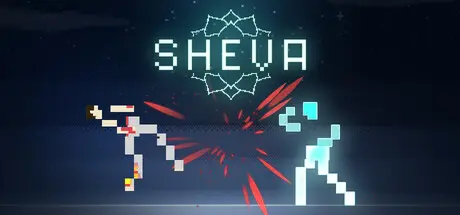
August 15Aug 15 Sheva Game DetailsRelease Name: ShevaGame Version: v1.0 | Build 24475286Release Date: 30 Jul, 2026Publisher: GoldtusksDeveloper: GoldtusksBased On: CSF & GoldbergSheva Direct Download - Game OverviewSheva is a single-player roguelite card fighter built around simultaneous decisions.Every turn, you and your opponent choose to Charge, Attack or Block. Both actions are then revealed and resolved together.There are no reaction turns. You must study the fight, anticipate your opponent and commit to your decision.Charge to draw another card and prepare a stronger hand.Attack to commit your active cards, combining their damage and effects into a single assault.Block to defend against incoming cards and disrupt the attack your opponent has been preparing.Charging leaves you exposed to damage, but an incoming attack does not remove the cards you have gathered. A well-timed Charge can therefore preserve your momentum and prepare a dangerous counterattack.The rules are simple. Knowing what your opponent will do next is not.Every card can do more than deal damage.Cards can strengthen an attack, protect you with Guard, restore health, break defenses, reflect damage, disrupt an opponent’s hand and activate additional effects under specific combat conditions.The order of your cards matters. Rearrange, duplicate, sacrifice, swap and shuffle them to create stronger combinations before committing to an attack.Choose a starting deck, then transform it through the rewards you discover during each run.Collect new cards, equip up to six talismans and use powerful abilities that can change the direction of a fight.Every addition creates new possibilities - but a card that strengthens one combination may weaken another. Deciding what not to take can be just as important as choosing your next reward.Between fights, you will:Choose which chakra to challenge nextAdd new cards to your deckEquip talismans with passive effectsVisit the shop to purchase cards, healing and upgradesAdapt your strategy to the opponents still aheadNo two runs need to follow the same route or develop into the same fighting style.Defeat every chakra boss in a single run to unlock the final confrontation.Fail, and the run ends.Begin again with a different deck, a new route and a better understanding of how your opponents fight.Turn-based combat where both fighters act simultaneouslyAn expanded card pool filled with conditional effects and combinationsMultiple starting decks supporting different strategiesSkills for rearranging, duplicating, sacrificing, swapping and shuffling cardsPowers that can alter the course of a turnSix talisman slots for creating passive combinationsSeven distinct chakras with escalating enemies and bossesEnemy behaviour built around chakra-specific prioritiesA complete single-player roguelite journey culminating in a final trialFull controller and Steam Deck supportSheva Screenshots Sheva TrailerSheva System RequirementsMinimum RequirementsRecommended RequirementsOSWindows 7-Processorx86, x64 architecture with SSE2 instruction set support-Memory4 GB RAM-GraphicsDX10, DX11, DX12 capable GPUs-DirectXVersion 10-Storage2 GB available space-How to Install ShevaNo Installation Needed: The game is pre-installed. Just download and extract.Extract: Right-click the .zip or .rar file and select "Extract Here" or "Extract to folder".Run: Find Sheva.exe inside the folder and run it.Game Data & SettingsChange Language: Edit the file located at steam_settings/Configs.user.iniSave Data Location: %USERPROFILE%/AppData/Local/Goldtusks/Sheva/Important NotesTo support the Game Developer, Get It On Steam.🔥DOWNLOAD AREA🔥🔹92 MB🔹Select the server you want to download with ZeiLink.Download





Create an account or sign in to comment