



Skip to content
View in the app

A better way to browse. Learn more.

ZeiGames

A full-screen app on your home screen with push notifications, badges and more.

To install this app on iOS and iPadOS
  1. Tap the Share icon in Safari
  2. Scroll the menu and tap Add to Home Screen.
  3. Tap Add in the top-right corner.
To install this app on Android
  1. Tap the 3-dot menu (โ‹ฎ) in the top-right corner of the browser.
  2. Tap Add to Home screen or Install app.
  3. Confirm by tapping Install.

Overcooked! 2 Free Download (Build 8950364 + ALL DLC )
Featured Replies

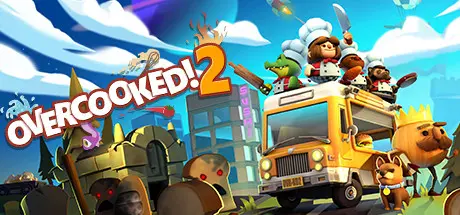
header.webp

Game Details

Release Name:ย Overcooked! 2

Game Version:ย Build 8950364

Release Date: 7 Aug, 2018

Publisher: Team17

Developer: Ghost Town Games Ltd., Team17

Based On:ย CSF & Goldberg

Overcooked! 2 Direct Download - Game Review

Overcooked returns with a brand-new helping of chaotic cooking action! Journey back to the Onion Kingdom and assemble your team of chefs in classic couch co-op or online play for up to four players. Hold onto your aprons โ€ฆ itโ€™s time to save the world (again!)

Out of the frying pan, into the fireโ€ฆ

Youโ€™ve saved the world from the Ever Peckish. Now a new threat has arisen and itโ€™s time to get back in the kitchen to stave off the hunger of The Unbread!

Youโ€™ll knead to work together (or against each other) to get the highest score in chaotic local and online multiplayer.

Journey across a brand new overworld map by land, sea and air. Get cooking in new themes ranging from sushi restaurants, magic schools, mines and even alien planets!

Travel the land cooking up a range of new recipes that are sure to cater to any tastes, including sushi, cakes, burgers and pizzas.

Travel through teleporters, across moving platforms and save time by throwing ingredients across dynamic kitchens that shift and evolve. Some kitchens even whisk your chefs away to new locations.


Game Screenshots

screenshot screenshot screenshot screenshot


Game Trailer


System Requirements

Minimum Requirements

Recommended Requirements

OS

WIN7-64 bit

Win7 -64 bit

Processor

Intel i3-2100 / AMD A8-5600k

Intel i5-650 / AMD A10-5800K

Memory

4 GB RAM

-

Graphics

GeForce GTX 630 / Radeon HD 6570

Nvidia GeForce GTX 650 / Radeon HD 7510

DirectX

Version 11

-

Storage

3 GB available space

-


Installation Guide

  1. No Installation Needed: The game is pre-installed. Just download and extract.

  2. Extract: Right-click the .zip or .rar file and select "Extract Here" or "Extract to folder".

  3. Run: Find Overcooked2.exe inside the folder and run it.

Game Data & Settings

  • Change Language: Edit the file located at steam_settings/Configs.user.ini

  • Save Data Location: %USERPROFILE%/AppData/LocalLow/Team17/Overcooked2/

Important Notes

DLC List

Added DLCs

Overcooked! 2 - Carnival of Chaos

Overcooked! 2 - Season Pass

Overcooked! 2 - Night of the Hangry Horde

Overcooked! 2 - Campfire Cook Off

Overcooked! 2 - Surf 'n' Turf

Overcooked! 2 - Too Many Cooks Pack

๐Ÿ”ฅDOWNLOAD AREA๐Ÿ”ฅ

๐Ÿ”น6.02 GB๐Ÿ”น

Select the server you want to download with ZeiLink.

Download

  • DicDale changed the title to Overcooked! 2 Free Download (Build 8950364 + ALL DLC )

  • Views 1.8k
  • Created
  • Last Reply

Posted Images

Create an account or sign in to comment

Recently Browsing 0

  • No registered users viewing this page.

Account

Navigation

Search

Search

๐Ÿ”Ž Search Tip
For exact results, search using "game name" .
Without quotes, results may include unrelated titles.

Configure browser push notifications

Chrome (Android)
  1. Tap the lock icon next to the address bar.
  2. Tap Permissions โ†’ Notifications.
  3. Adjust your preference.
Chrome (Desktop)
  1. Click the padlock icon in the address bar.
  2. Select Site settings.
  3. Find Notifications and adjust your preference.