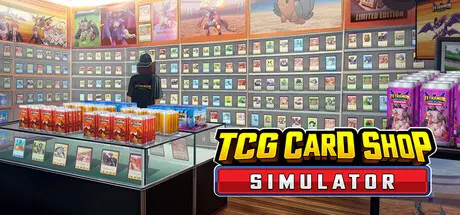
August 19, 20251 yr TCG Card Shop Simulator Game DetailsRelease Name: TCG Card Shop SimulatorGame Version: v0.70.3 | Build 22936874Release Date: 15 Sep, 2024Publisher: OPNeon GamesDeveloper: OPNeon GamesBased On: CSF & GoldbergTCG Card Shop Simulator Direct Download - Game OverviewTCG Card Shop Simulator is a trading card shop simulation where you sell card booster packs to earn money and build your card shop business.Design your own TCG shop. Organize shelves and card packs to make customer shopping experience smooth and easy.Open the booster packs yourself and collect the cards. Find rare cards and sell them to make a fortune, or keep them to complete your card collection.Set your card game format and fee, invite players to play card games in your shop. Be sure to keep your store clean and hygienic for the players or they might leave!Stock up on different booster card packs and card game products. Keep track of popular trends and adjust your inventory to cater to the ever-changing demands of your customers.Earn profits to reinvest in your shop. Expand your space, unlock new card sets, and upgrade your facilities to attract even more customers and increase revenue.TCG Card Shop Simulator Screenshots TCG Card Shop Simulator TrailerTCG Card Shop Simulator System Requirements Minimum RequirementsRecommended Requirements OSWindows (64-bit) 10Windows (64-bit) 10 ProcessorIntel Core i5-3550Intel Core i5-6400 Memory8 GB RAM8 GB RAM GraphicsNVidia GeForce GTX 1050NVidia GeForce GTX 1070 DirectXVersion 11Version 11 Storage5 GB available space5 GB available space How to Install TCG Card Shop SimulatorNo Installation Needed: The game is pre-installed. Just download and extract.Extract: Right-click the .zip or .rar file and select "Extract Here" or "Extract to folder".Run: Find Card Shop Simulator.exe inside the folder and run it.Game Data & SettingsChange Language: Edit the file located at steam_settings/Configs.user.iniSave Data Location: %USERPROFILE%/AppData/LocalLow/OPNeonGames/Card Shop Simulator/Important NotesTo support the Game Developer, Get It On Steam.🔥DOWNLOAD AREA🔥🔹1.87 GB🔹Select the server you want to download with ZeiLink.Download





Create an account or sign in to comment