



Skip to content
View in the app

A better way to browse. Learn more.

ZeiGames

A full-screen app on your home screen with push notifications, badges and more.

To install this app on iOS and iPadOS
  1. Tap the Share icon in Safari
  2. Scroll the menu and tap Add to Home Screen.
  3. Tap Add in the top-right corner.
To install this app on Android
  1. Tap the 3-dot menu (โ‹ฎ) in the top-right corner of the browser.
  2. Tap Add to Home screen or Install app.
  3. Confirm by tapping Install.

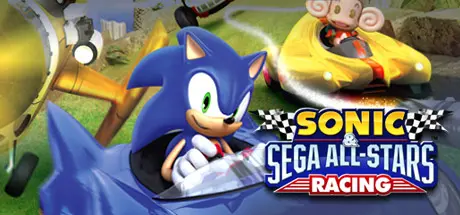
Sonic & SEGA All-Stars Racing Free Download (Build 462)
Featured Replies

header.webp

Game Details

Release Name:ย Sonic & SEGA All-Stars Racing

Game Version:ย Build 462

Release Date:ย 3 Mar, 2010

Publisher:ย SEGA

Developer:ย Sumo Digital

Based On:ย CSF & Steamless

Sonic & SEGA All-Stars Racing Direct Download - Game Review

SONIC AND SEGA ALL-STARS RACE FOR VICTORY IN A HIGH SPEED HIGH SKILL RACETRACK SHOWDOWN!
TAKE TO THE TRACK BY CAR, MONSTER TRUCK, BIKE AND EVEN AEROPLANE IN SONIC & SEGA ALL-STARS RACING.
Explore stunning new circuits including Sonic Seaside Hill, Curien Mansion and Blizzard Castle as you zip around medieval castle ramparts, hurtle under lush rain forest canopies and tear through bustling city scapes in a frantic race to the finish line. Jostle against a selection of 20 challengers including Super Monkey Ballโ€™s Ai Ai, Amigo from Samba and the evil Dr. Eggman in your unique character vehicle. Stay ahead of the pack by dodging traps and launching outrageous character moves such as the invincible Super Sonic, Banana Blitz assault of monkey balls or Tails wild Tornado - set to throw any vehicle clean in the air! But if youโ€™ve been battered, beaten and broken, itโ€™s not over yet! Super-charge your vehicle with power-ups to get back in the race and be sure to stay alert for the secret short-cuts that will give you the edge to victory.

  • Party Racing Funย - Battle it out in single player, challenge your friends in 4 player split-screen for the ultimate track racing showdown!

  • All Your Favorite Racersย - Choose from 20 different characters from the Sonic & SEGA universe including Sonic, Tails, Aiai and Amigo.

  • High Velocity Vehiclesย - Every character drives their own unique vehicle including sports cars, bikes, planes and even a giant banana to perform bespoke special man-oeuvres!

  • All-Star Movesย - Need to get by a competitor? Canโ€™t overtake a racer? Then take them out with a pick-up weapon (missiles, mines and other obstacles) or one of the 20 unique character moves that allows the recipient to know who just hit them!

  • Stunning Visualsย - Race over medieval castle ramparts, under lush rain forest canopies and through bustling city scapes as you battle through 27 challenging tracks from the Sonic and SEGA Universe.


Game Screenshots

screenshotย screenshotย screenshotย screenshot


Game Trailer


System Requirements

Minimum Requirements

Recommended Requirements

OS

Windows XP/Vista. (if running Windows Vista SP1 is recommended)

-

Processor

3.2 GHz Intel Pentium 4/Athlon 64 3000+ or equivalent processor

Intel Core 2 Duo @ 2.4Ghz or Athlon 64 X2 4200+ or better

Memory

1GB RAM (2GB on Vista)

1.5GB RAM

Graphics

DirectX 9.0c compliant video card with 256 MB RAM (NVIDIA 7600 or better, ATI X1300 or better)

GeForce 8800 or ATI Radeon HD 3800 series with 512 MB of VRAM or better

DirectX

DirectX 9.0c

-

Storage

6 GB Hard Drive Space

7 GB Hard Drive Space


Installation Guide

  1. No Installation Needed: The game is pre-installed. Just download and extract.

  2. Extract: Right-click theย .zipย orย .rarย file and select "Extract Here" or "Extract to folder".

  3. Run: Findย Sonic & SEGA All-Stars Racing.exeย inside the folder and run it.

Important Notes

๐Ÿ”ฅDOWNLOAD AREA๐Ÿ”ฅ

๐Ÿ”น4.15 GB๐Ÿ”น

Select the server you want to download with ZeiLink.

Download

  • Views 9
  • Created
  • Last Reply

Posted Images

Create an account or sign in to comment

Recently Browsing 0

  • No registered users viewing this page.

Account

Navigation

Search

Search

๐Ÿ”Ž Search Tip
For exact results, search using "game name" .
Without quotes, results may include unrelated titles.

Configure browser push notifications

Chrome (Android)
  1. Tap the lock icon next to the address bar.
  2. Tap Permissions โ†’ Notifications.
  3. Adjust your preference.
Chrome (Desktop)
  1. Click the padlock icon in the address bar.
  2. Select Site settings.
  3. Find Notifications and adjust your preference.
