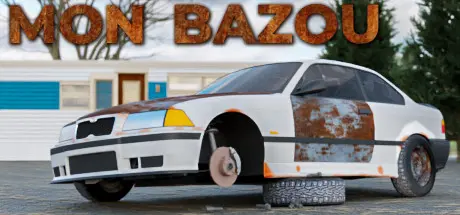
August 16, 20251 yr Mon Bazou Game DetailsRelease Name: Mon BazouGame Version: v1.06 | Build 21272629Release Date: 18 Dec, 2025Publisher: Santa GoatDeveloper: Santa GoatBased On: CSF & GoldbergMon Bazou Direct Download - Game OverviewThis is Mon Bazou! Canada’s foremost car building, maple syrup producing, street racing survival game! We’re freshly into 2005, and the age of tuners and street racers is in full swing! Take your run-down and rusty beater and turn it into a real racer! Make a living by selling firewood, maple syrup, and cannabis to the folks living in town, and wager your hard-earned cash in a street race the same night! Do you pour all your winnings back into your car to become the ultimate menace on the streets, or invest it back into your maple business for even greater returns? Who will you decide to help along the way? These questions -and more- are yours to ask as you write your own story in the quiet Quebecois town of Saint-Clin du Fin-Fond!• Highly customizable primary vehicle with many cosmetic and performance upgrades• Many other cars, a truck, an ATV, and even a boat are available to drive• Install your chosen upgrades by yourself, turning bolts and throwing wrenches as you do• Rummage through a scrapyard for extra parts to sell, or even install on your vehicles• Very flexible RGB and Hexadecimal based painting system• Various trailers for towing, additional hauling capacity, and utility• A huge motorsport complex with an oval circuit, drag strip, and track course• Many named NPCs with uniquely Canadian dialogue, quests, and rewards• Multiple sources of income, from delivering pizzas to running a cannabis growing operation• Start a garden, but don’t forget to water your plants and protect them from pests• A large map with several distinct areas, and many secrets to find hidden withinMon Bazou Screenshots Mon Bazou TrailerMon Bazou System Requirements Minimum RequirementsRecommended Requirements OSWindows 7 (SP1+) and Windows 10Windows 7 (SP1+) and Windows 10 Processorx86, x64 architecture with SSE2 instruction set support.x86, x64 architecture with SSE2 instruction set support. Memory4 GB RAM6 GB RAM GraphicsGeForce GTX 500 series or betterGeForce GTX 900 series or better DirectXVersion 11Version 11 Storage1 GB available space1 GB available space How to Install Mon BazouNo Installation Needed: The game is pre-installed. Just download and extract.Extract: Right-click the .zip or .rar file and select "Extract Here" or "Extract to folder".Run: Find Mon Bazou.exe inside the folder and run it.Game Data & SettingsChange Language: Edit the file located at steam_settings/Configs.user.iniSave Data Location: %USERPROFILE%/AppData/LocalLow/Santa Goat/Mon BazouImportant NotesTo support the Game Developer, Get It On Steam.🔥DOWNLOAD AREA🔥🔹595 MB🔹Select the server you want to download with ZeiLink.Download





Create an account or sign in to comment