



Skip to content
View in the app

A better way to browse. Learn more.

ZeiGames

A full-screen app on your home screen with push notifications, badges and more.

To install this app on iOS and iPadOS
  1. Tap the Share icon in Safari
  2. Scroll the menu and tap Add to Home Screen.
  3. Tap Add in the top-right corner.
To install this app on Android
  1. Tap the 3-dot menu (โ‹ฎ) in the top-right corner of the browser.
  2. Tap Add to Home screen or Install app.
  3. Confirm by tapping Install.

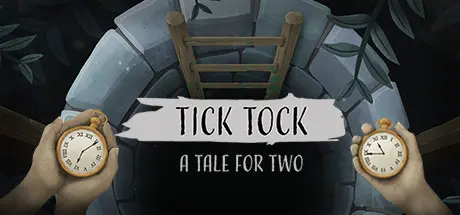
Tick Tock: A Tale for Two Free Download (Build 6904549 + Online)
Featured Replies

header.webp

Game Details

Release Name:ย Tick Tock: A Tale for Two

Game Version:ย Build 6904549

Release Date: 7 Mar, 2019

Publisher: Other Tales Interactive

Developer: Other Tales Interactive

Based On:ย CSF & Goldberg

Tick Tock: A Tale for Two Direct Download - Game Review

Discover a deep story and atmosphere inspired by Scandinavian fairy tales while entering a hand drawn world. Explore different locations in an eerie village: visit an old clock shop, investigate rooms with creaky floorboards, and venture down into a dark basement to find the answers you need to solve the puzzle.

Tick Tock is so easy to pick up that anyone can join the adventure! All you need is a partner who can communicate what they see in order to solve each puzzle and you will be able to escape without any scratches.

This game can be played cross-platform, play on Nintendo Switch, PC, iOS, Android or Mac! Itโ€™s up to you how you play: play on two PCs, or get cosy on the couch with your Switch and iPad!

In Tick Tock: A Tale for Two you and your friend find yourself trapped in an eerie world created by the skilful clockmaker Amalie Ravn. Your mission is to escape! But to do so you need to navigate a mysterious, sinister clockwork world filled with secrets and cryptic puzzles.

To find the truth and ultimately escape this place, you must combine the information on both playersโ€™ screens. Prepare yourselves for a narrative adventure where your communication skills are put to the test. Shout out instructions, discuss what you see, and listen. But remember: time is ticking.


Game Screenshots

screenshot screenshot screenshot screenshot


Game Trailer


System Requirements

Minimum Requirements

Recommended Requirements

OS

Windows 10

-

Processor

Intel i5 Quad-Core

-

Memory

4 GB RAM

-

Graphics

Intel HD 4000

-

DirectX

-

-

Storage

2 GB available space

-


Installation Guide

  1. No Installation Needed: The game is pre-installed. Just download and extract.

  2. Extract: Right-click the .zip or .rar file and select "Extract Here" or "Extract to folder".

  3. Run: Find Tick Tock.exe inside the folder and run it.

Game Data & Settings

  • Change Language: Edit the file located at steam_settings/Configs.user.ini

Important Notes

๐Ÿ”ฅDOWNLOAD AREA๐Ÿ”ฅ

๐Ÿ”น224 MB๐Ÿ”น

Select the server you want to download with ZeiLink.

Download

  • Views 491
  • Created
  • Last Reply

Posted Images

Create an account or sign in to comment

Recently Browsing 0

  • No registered users viewing this page.

Account

Navigation

Search

Search

๐Ÿ”Ž Search Tip
For exact results, search using "game name" .
Without quotes, results may include unrelated titles.

Configure browser push notifications

Chrome (Android)
  1. Tap the lock icon next to the address bar.
  2. Tap Permissions โ†’ Notifications.
  3. Adjust your preference.
Chrome (Desktop)
  1. Click the padlock icon in the address bar.
  2. Select Site settings.
  3. Find Notifications and adjust your preference.
