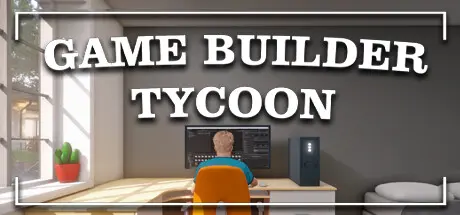
August 8, 20251 yr Game Builder Tycoon Game DetailsRelease Name: Game Builder TycoonGame Version: v1.6 | Build 17825883Release Date: 30 Sep, 2024Publisher: PlayWay S.A.Developer: AM PlayhouseBased On: CSF & GoldbergGame Builder Tycoon Direct Download - Game OverviewCreate and sell games, gain fame and wealth, research new technologies, hire employees, upgrade your office, manage taxes and salaries, take loans if needed, and compete with 5000 companies. Experience the thrill of running your own studio in Game Builder Tycoon.Design standout games by selecting key elements like art, features, quests, dialogue, music, level, and world design. Assign tasks to characters, choose the genre, theme, platform, game size, art style, viewpoint, and features. Launch your game in the market and create sequels. Imagine a platformer game set in a sci-fi world with 2D-pixel art and multiplayer options. The possibilities for customization are endless!Choose your character and define their role—be it as a coder or an artist. Each character has three attributes: IQ, creativity, and insight, which affect six skills: tech, art, writing, design, music, and marketing. Create a unique character that fits your vision. As you progress, hire more employees and continuously train yourself and your team in various ways to stay ahead in the competitive market.As your game progresses, research and unlock new elements. Discover new genres like survival or simulation, themes like zombies or pirates, devices like consoles or mobile, game sizes, art styles like semi-realistic or stylized, features like localization or tutorials, viewpoints like isometric or third-person, and marketing strategies like free demos or media advertisements. With over 60 things to unlock, the possibilities are endless to create your next hit games.Want to create larger games? Earn enough money to upgrade your office and hire new employees, expanding your team's capabilities to create bigger and better games than ever before.Feeling unmotivated? Don't worry, you're competing with 5000 other companies. They are smart and hardworking, just like your team. Create better games and use effective marketing tactics to earn more and stay ahead.Game Builder Tycoon Screenshots Game Builder Tycoon TrailerGame Builder Tycoon System Requirements Minimum RequirementsRecommended Requirements OSWindow 11Window 11 Processori3i3 Quad core processor Memory8 GB RAM16 GB RAM GraphicsNvidia GT 710 or equivalentNvidia GTX 1060 DirectXVersion 10Version 11 Storage4 GB available space4 GB available space How to Install Game Builder TycoonNo Installation Needed: The game is pre-installed. Just download and extract.Extract: Right-click the .zip or .rar file and select "Extract Here" or "Extract to folder".Run: Find Game Builder Tycoon.exe inside the folder and run it.Game Data & SettingsChange Language: Edit the file located at steam_settings/Configs.user.iniSave Data Location: %USERPROFILE%/AppData/LocalLow/AM Playhouse/Game Builder TycoonImportant NotesTo support the Game Developer, Get It On Steam.🔥DOWNLOAD AREA🔥🔹2.73 GB🔹Select the server you want to download with ZeiLink.Download





Create an account or sign in to comment