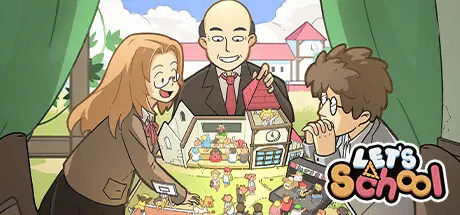
May 17May 17 Let's School Game DetailsRelease Name: Let's SchoolGame Version: v1.3.5.1 | Build 15689157Release Date: 26 Jul, 2023Publisher: Pathea Games, PM Studios, inc.Developer: Pathea GamesBased On: CSF & GoldbergLet's School Direct Download - Game OverviewIn Let’s School, you take on the role of a principal tasked with the challenge of revamping and managing your alma mater! The game features two core mechanics: the construction and designing of the school and managing the dynamics of students and teachers.Each student has unique interests and aspirations, making your role as headmaster more complex. Balancing factors like your school's reputation, satisfying students' basic needs, overseeing academic pressure, and managing aspects like clothing, food, and travel provide an immersive and challenging experience. Aside from the usual responsibilities of a headmaster, you are also tasked with managing various issues that originate outside the school, including mysterious dangers and potential threats that might cause things to go bananas!The architectural design of the school is a blank canvas for the player. With the freedom to plan and construct various functional facilities and access to hundreds of educational equipment, you define your institution's aesthetic and practical landscape. Don't limit yourself to horizontal expansion - think vertically by constructing multi-story buildings for more innovative developments or even eccentric structures!The fate of teachers and students lies in your hands. The recruitment process, teaching methodologies, and personal growth of teachers and students rest on your decisions. Enhancing the skills of your teachers opens up opportunities for them in different roles. You can influence student morale and academic performance by offering elective courses, thereby shaping their future life paths.Let's School Screenshots Let's School TrailerLet's School System Requirements Minimum RequirementsRecommended Requirements OSWin 10Win 10 ProcessorIntel Core i3-2100Intel Core i5 -7500 | AMD Ryzen 5 5600X Memory8 GB RAM16 GB RAM GraphicsNvidia GeForce GTX760Nvidia GeForce GTX1060 DirectXVersion 11Version 11 Storage5available space GB available space5available space GB available space How to Install Let's SchoolNo Installation Needed: The game is pre-installed. Just download and extract.Extract: Right-click the .zip or .rar file and select "Extract Here" or "Extract to folder".Run: Find LetsSchool.exe inside the folder and run it.Game Data & SettingsChange Language: Edit the file located at steam_settings/Configs.user.iniSave Data Location: %USERPROFILE%/AppData/LocalLow/Pathea Games/LetsSchool/SavesImportant NotesTo support the Game Developer, Get It On Steam.DLC ListAdded DLCsLet's School - Magical Castles Furniture PackLet's School - Water Towns Furniture Pack🔥DOWNLOAD AREA🔥🔹695 MB🔹Select the server you want to download with ZeiLink.Download
July 24Jul 24 Author 4 minutes ago, timomal said:hey, all the links seem to be downAll links work. Problem your side.





Create an account or sign in to comment