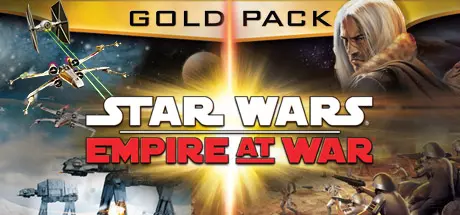
August 5, 20251 yr STAR WARS Empire at War - Gold Pack Game DetailsRelease Name: STAR WARS™ Empire at War - Gold PackGame Version: Build 15987880Release Date: 25 May, 2010Publisher: LucasArts, Lucasfilm, DisneyDeveloper: PetroglyphBased On: CSF & GoldbergSTAR WARS Empire at War - Gold Pack Direct Download - Game OverviewCommand or corrupt an entire galaxy in the definitive Star Wars strategy collection. It is a time of galactic civil war. Will you take up the reins of the Rebellion, assume control of the Empire, or rule the Star Wars Underworld?Star Wars Empire at War:From the lives of soldiers to the deaths of planets, you are the supreme galactic commander. It is a time of galactic civil war. Take up the reins of the Rebellion or assume control for the Empire. Whichever you choose, it will be up to YOU to steer your side to ultimate victory. Command everything from individual troops to starships and even the mighty Death Star as you execute campaigns on the ground, in space and across the galaxy. Forget tedious resource gathering – just jump straight into the heart of the action. You can even change Star Wars history! Every decision affects your next battle and every battle helps shape the fate of the galaxy.Conquer or liberate over 80 ground and space locations including Kashyyyk, Tatooine and Dagobah – each with its own strategic advantage. Command iconic Star Wars characters such as Obi-Wan Kenobi, Luke Skywalker, Darth Vader and Boba Fett. Pit X-wings against TIE fighters or command an entire fleet of Star Destroyers in space. Then send down land forces to secure the planet below.STAR WARS Empire at War - Gold Pack Screenshots STAR WARS Empire at War - Gold Pack TrailerSTAR WARS Empire at War - Gold Pack System RequirementsMinimum RequirementsRecommended RequirementsOSWindows XP SP3, Windows Vista SP2, Windows 7Windows XP SP3, Windows Vista SP2, Windows 7ProcessorIntel Pentium III 1.0GHz or AMD Athlon 1.0 GHzIntel Pentium Dual Core CPUMemory--Graphics64 MB graphics card with Shader Model 2.0 support / ATI Radeon 9600 / NVIDIA 7200 / Intel 965256 MB graphics card with Shader Model 3.0 support / ATI Radeon X1900 / NVIDIA 8600DirectX--Storage--How to Install STAR WARS Empire at War - Gold PackNo Installation Needed: The game is pre-installed. Just download and extract.Extract: Right-click the .zip or .rar file and select "Extract Here" or "Extract to folder".Run: Find StarWarsG.exe inside the folder and run it.Game Data & SettingsChange Language: Edit the file located at steam_settings/Configs.user.iniSave Data Location: %USERPROFILE%/Saved Games/Petroglyph/Empire At War/SaveImportant NotesTo support the Game Developer, Get It On Steam.🔥DOWNLOAD AREA🔥🔹1.86 GB🔹Select the server you want to download with ZeiLink.Download
August 22Aug 22 When i want to launch the game i have the following error : "unable to locate the installation path of Star Wars : Empire at War. Cannot launch the force of corruption expansion!"I have tried to follow the instructions from this post https://steamcommunity.com/app/32470/discussions/0/2954915322322741499/but i figure it doesn't work with a cracked version
August 22Aug 22 Author 1 hour ago, Däthedr said:When i want to launch the game i have the following error : "unable to locate the installation path of Star Wars : Empire at War. Cannot launch the force of corruption expansion!"I have tried to follow the instructions from this post https://steamcommunity.com/app/32470/discussions/0/2954915322322741499/but i figure it doesn't work with a cracked versionI updated game links and i tested game again. Working fine.





Create an account or sign in to comment