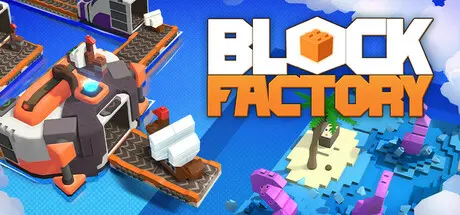
July 23Jul 23 Block Factory Game DetailsRelease Name: Block FactoryGame Version: Build 19193970Release Date: 11 Jul, 2025Publisher: Shiro UnlimitedDeveloper: OverPowered TeamBased On: CSF & GoldbergBlock Factory Direct Download - Game OverviewWelcome to Block Factory, a serene and satisfying building experience. Design thoughtful workflows to craft adorable 3D figurines, made from simple building blocks, and bring them to life with care and attention.Design your factory as a relaxing creative space. Stack, shape, cut, paint, glue,... and assemble with care using specialized machines, each step unfolding like a quiet melody. Watch your creations evolve piece by piece as you unlock new technologies.There’s no rush, refine at your own pace and enjoy the process as your ideas come to life.Create your own 3D figurines block by block, then build a relaxing production flow to bring them to life. Once complete, share your creations with friends and the world, creativity has no limits here.A relaxing creative experienceBuild and refine flowing production lines without pressureCharming 3D figurines made from modular building blocksEvolving miniature displays that showcase your progressFlexible play modes that support every style, from light design to deep creativityBlock Factory Screenshots Block Factory TrailerBlock Factory System Requirements Minimum RequirementsRecommended Requirements OSWindows 10 64bitWindows 10 64bit ProcessorIntel(R) Core(TM) i7-8700 CPUIntel(R) Core(TM) i7-8700 CPU Memory8 GB RAM8 GB RAM GraphicsNVIDIA GeForce GTX 1050 TiNVIDIA GeForce GTX 1050 Ti DirectX-- Storage2 GB available space2 GB available space How to Install Block FactoryNo Installation Needed: The game is pre-installed. Just download and extract.Extract: Right-click the .zip or .rar file and select "Extract Here" or "Extract to folder".Run: Find Block Factory.exe inside the folder and run it.Game Data & SettingsChange Language: Edit the file located at steam_settings/Configs.user.iniSave Data Location: %USERPROFILE%/AppData/LocalLow/OverPowered Team\Block FactoryImportant NotesTo support the Game Developer, Get It On Steam.🔥DOWNLOAD AREA🔥🔹1.27 GB🔹Select the server you want to download with ZeiLink.Download





Create an account or sign in to comment