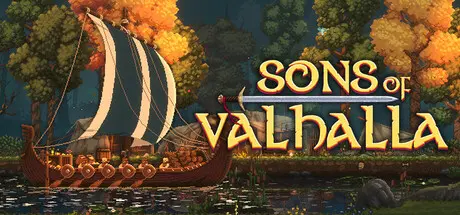
August 4, 20251 yr Sons of Valhalla Game DetailsRelease Name: Sons of ValhallaGame Version: v1.0.24 | Build 14342302Release Date: 5 Apr, 2024Publisher: Pixel ChestDeveloper: Pixel ChestBased On: CSF & GoldbergSons of Valhalla Direct Download - Game OverviewSons of Valhalla combines side-scrolling combat with roguelike strategy and base building in a beautiful pixel-art Viking Age world. You play as Thorald Olavson, a warrior hell-bent on tracking down the Jarl who burned down his home, kidnapped his beloved, and fled to distant England.Raise a warband and personally lead your troops in a grand saga of vengeance as the gods themselves watch over you.Across the North Sea, far from home, hunting your nemesis down will take resources, soldiers, and strategic thinking. Manage limited funds as you choose your path down the English countryside, battling, besieging, and bargaining for equipment as you call for reinforcements from home, leaving a trail of corpses in your wake.Branching paths lie before you as a raging storm chases your band from the north. Travel from town to town to seek out merchants, mercenaries, and violence – from epic sieges to skirmishes on open fields.Double back, skip past, and revisit locations as your plans call for it – in Sons of Valhalla, points of interest on the map aren’t locked to you because you’ve already marched past them! Will you return to an armorer that sold powerful equipment that you couldn’t yet afford? Perhaps the local castle may be beyond your strength when you first arrive, but with clever maneuvering, you can add to your forces and return later? As the storm slowly envelops the land, distant towns may become unreachable – choose your advance wisely.Resources earned on the battlefield can be used to purchase equipment, upgrade your troops, and even build structures and siege engines to aid in your efforts. Set aside, these same resources can be used at the various merchants to further your capabilities beyond any single engagement. Plan how you use your limited supplies with care, or see a quick end to your invasion.Lead your men in tactical combat by issuing orders and utilizing special abilities and formations. But remember – a true warrior leads from the front, so be prepared to take up your sword to fight alongside your men.Recruit a wide array of troops to fight by your side – from basic swordsmen and archers to unique champions such as combat blacksmiths and shieldmaidens, each comes with their own strengths and weaknesses. Success in battle comes from using the right troops for the right situation. Will you utilize the shaman for their healing powers to keep your troops fighting for longer, or is the rapid swinging of the berserker more your speed?Command your troops to overcome evolving situations on the battlefield – order them to fall in line behind you, to charge forward, to retreat, or to form the impregnable shield wall when under a hail of arrows. Quick thinking, positioning, and army composition all play a major role in battle.Break through the enemy shield wall and cut them down with your own blade or become a master of the bow and spear as you destroy your enemy from a distance. Purchase powerful equipment to aid you on the battlefield and down flasks of mead to maintain your fortitude as you stand with your men, protect their retreats, and lead their assaults.Sons of Valhalla Screenshots Sons of Valhalla TrailerSons of Valhalla System Requirements Minimum RequirementsRecommended Requirements OSWindows® 10 (64-bit)Windows® 10 (64-bit) ProcessorIntel® Core™ i5-4670 (quad-core) / AMD® Ryzen™ 3 2200G (quad-core)Intel® Core™ i5-4670 (quad-core) / AMD® Ryzen™ 3 3200G (quad-core) Memory4 GB RAM4 GB RAM GraphicsNVIDIA® GeForce® GTX 550 Ti (1 GB) / AMD® Radeon™ HD 6850 (1 GB)NVIDIA® GeForce® GTX 650 (1 GB) / AMD® Radeon™ HD 6970 (2 GB) DirectXVersion 11Version 12 Storage3 GB available space3 GB available space How to Install Sons of ValhallaNo Installation Needed: The game is pre-installed. Just download and extract.Extract: Right-click the .zip or .rar file and select "Extract Here" or "Extract to folder".Run: Find SoV.exe inside the folder and run it.Game Data & SettingsChange Language: Edit the file located at steam_settings/Configs.user.iniSave Data Location: %USERPROFILE%/AppData/LocalLow/Pixel Chest Games/Sons of Valhalla/savesImportant NotesTo support the Game Developer, Get It On Steam.🔥DOWNLOAD AREA🔥🔹491 MB🔹Select the server you want to download with ZeiLink.Download





Create an account or sign in to comment