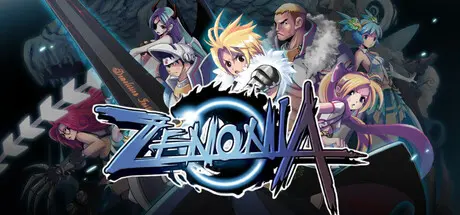
August 31Aug 31 ZENONIA 1 Game DetailsRelease Name: ZENONIA 1Game Version: v1.0.0 | Build 24984291Release Date: 31 Aug, 2026Publisher: Com2us HoldingsDeveloper: Com2us Holdings, CFK Co., Ltd.Based On: CSF & GoldbergZENONIA 1 Direct Download - Game OverviewBefore smartphones. Before app stores.ZENONIA set the foundation for mobile RPGs.Now, this iconic action RPG returns in its original form—refined for modern platforms.Bringing back the original charmwhile adapting seamlessly to today’s platforms.Whether you're here for nostalgiaor a brand-new adventure—ZENONIA is ready.Choose your path from three distinct classes:Warrior – Balanced and resilientPaladin – Defensive and reliableAssassin – Fast and lethalCustomize your stats and gearto build a playstyle that’s truly yours.In a world where light and darkness collide,every decision matters.Unfold a rich story filled with unexpected events,and shape your path between good and evil.- Hundreds of items across multiple tiers- Deep systems combining skills, gear, and character growthThere is always more to discover.ZENONIA 1 Screenshots ZENONIA 1 TrailerZENONIA 1 System RequirementsMinimum RequirementsRecommended RequirementsOSWindows 10 (64bit)Windows 10 (64bit)Processori3 6100i5-12400Memory8 GB RAM16 GB RAMGraphicsGeforce GTX 1060Geforce GTX 1660DirectX--Storage--How to Install ZENONIA 1No Installation Needed: The game is pre-installed. Just download and extract.Extract: Right-click the .zip or .rar file and select "Extract Here" or "Extract to folder".Run: Find ZENONIA 1.exe inside the folder and run it.Game Data & SettingsChange Language: Edit the file located at steam_settings/Configs.user.iniImportant NotesTo support the Game Developer, Get It On Steam.🔥DOWNLOAD AREA🔥🔹153 MB🔹Select the server you want to download with ZeiLink.Download





Create an account or sign in to comment