



Skip to content
View in the app

A better way to browse. Learn more.

ZeiGames

A full-screen app on your home screen with push notifications, badges and more.

To install this app on iOS and iPadOS
  1. Tap the Share icon in Safari
  2. Scroll the menu and tap Add to Home Screen.
  3. Tap Add in the top-right corner.
To install this app on Android
  1. Tap the 3-dot menu (โ‹ฎ) in the top-right corner of the browser.
  2. Tap Add to Home screen or Install app.
  3. Confirm by tapping Install.

Age of Mythology: Retold Free Download (v19.17020 + ALL DLC)
Featured Replies

header.webp

Game Details

Release Name:ย Age of Mythology: Retold

Game Version:ย v19.17020 | Build 23996698

Release Date: 4 Sep, 2024

Publisher: Xbox Game Studios

Developer: World's Edge, Forgotten Empires, Tantalus Media, CaptureAge, Virtuos Games

Based On:ย CSF & Goldberg

Age of Mythology: Retold Direct Download - Game Review

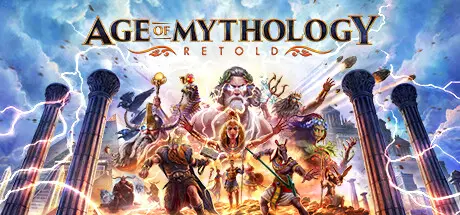
From the creators of the award-winning Age of Empires franchise, Age of Mythology: Retold goes beyond history to a mythical age where gods, monsters, and humans collide. Experience an immersive real-time strategy game with an epic campaign, cooperative and competitive multiplayer, and the all-new Arena of the Gods game mode. Secure your domain, command legendary monsters, and call upon the power of the gods to achieve victory.

Will you become Mythic?

Embark on multiple campaigns spanning 50-missions that take you across a vast, mythical world: besiege the mighty walls of Troy, battle Giants in the frozen wastes of Midgard, and discover the mysteries of Osiris in the shifting sands of Egypt. Become a hero of mythโ€”or even a god.

Choose your gods from the Greek, Norse, Egyptian, and Atlantean pantheons. Devastate your enemies by summoning powerful lightning storms, earth-shattering quakes, and even the famed Nidhogg dragon. Or call upon nourishing rains and protective Dryads to help your people grow & prosper.ย  Plus, with the new Immortal Pillars expansion*, you can call upon the great floods and storm dragons of Chinese mythologyย (*Immortal Pillars available with the Premium edition or sold separately).


Game Screenshots

screenshot screenshot screenshot screenshot


Game Trailer


System Requirements

Minimum Requirements

Recommended Requirements

OS

Windows 10 64bit

Windows 10 64bit

Processor

Intelยฎ i3-4130 or AMD FX 4350 at 2.4GHZ+ with 2 cores / 4 threads and AVX support

3.6 Ghz i5 or greater or AMD equivalent and AVX support

Memory

8 GB RAM

16 GB RAM

Graphics

NVIDIAยฎ GeForceยฎ GTX 645 or AMD Radeonโ„ข Vega 8 or Intelยฎ Iris Graphics 550 or better

Nvidiaยฎ GeForceยฎ GTX 970 or AMD Radeonโ„ข RX 570 or better

DirectX

Version 12

Version 12

Storage

25 GB available space

25 GB available space


Installation Guide

  1. No Installation Needed: The game is pre-installed. Just download and extract.

  2. Extract: Right-click the .zip or .rar file and select "Extract Here" or "Extract to folder".

  3. Run: Find Launcher.exe inside the folder and run it.

Game Data & Settings

  • Change Language: Edit the file located at steam_settings/Configs.user.ini

Important Notes

DLC List

Added DLCs

Age of Mythology: Retold - Obsidian Mirror

Age of Mythology: Retold - Blood & Bones Pack

Age of Mythology: Retold - Expansion Pass

Age of Mythology: Retold - Ultimate Fan Pack

Age of Mythology: Retold - New Gods Pack: Demeter

Age Of Mythology: Retold - New Gods Pack: Freyr

Age of Mythology: Retold - Heavenly Spear

Age of Mythology: Retold - Immortal Pillars

Age of Mythology: Retold - Legacy Deity Portrait Pack

๐Ÿ”ฅDOWNLOAD AREA๐Ÿ”ฅ

๐Ÿ”น18.35 GB๐Ÿ”น

Select the server you want to download with ZeiLink.

Download

  • DicDale changed the title to Age of Mythology: Retold Free Download (v19.17020 + ALL DLC)

  • Views 2k
  • Created
  • Last Reply

Posted Images

Create an account or sign in to comment

Recently Browsing 0

  • No registered users viewing this page.

Account

Navigation

Search

Search

๐Ÿ”Ž Search Tip
For exact results, search using "game name" .
Without quotes, results may include unrelated titles.

Configure browser push notifications

Chrome (Android)
  1. Tap the lock icon next to the address bar.
  2. Tap Permissions โ†’ Notifications.
  3. Adjust your preference.
Chrome (Desktop)
  1. Click the padlock icon in the address bar.
  2. Select Site settings.
  3. Find Notifications and adjust your preference.