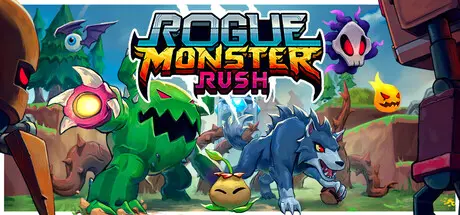
August 6Aug 6 Rogue Monster Rush Game DetailsRelease Name: Rogue Monster RushGame Version: v1.0 | Build 22420422Release Date: 7 Mar, 2026Publisher: Ghost Vibes LLCDeveloper: Ghost Vibes LLCBased On: CSF & GoldbergRogue Monster Rush Direct Download - Game OverviewWelcome to Rogue Monster Rush!Embark on an ever-evolving quest to defend your island base from hordes of invading robots in our roguelike x tower defense x monster collecting game. Made by 2 friends over the past 3.5 years - both industry vets who've shipped 8+ titles between them.Dynamic Roguelike Gameplay: Every playthrough is a new adventure! Build your path out using randomly chosen tiles, discover powerful upgrades, and adapt your tactics to overcome increasingly challenging waves of foes.Strategic Depth: Master the art of monster placement, team composition, player abilities, leader skills, and upgrades to survive, outsmart, and overpower.Monster Tower Defense: Hatch, Upgrade, Collect and command a variety of monster defenders, each with unique abilities, to fend off waves of relentless enemies. Assemble your ultimate party loadout and unleash havoc upon the invading forces.Active Gameplay: Engage in a dynamic and active playstyle where every moment counts. Unleash player abilities for clutch moments and enjoy more interactive and thrilling gameplay experiences than traditional tower defense.Incredible Soundtrack: Immerse yourself in the game's energy with an incredible soundtrack that sets the tone for epic battles and intense moments. Soundtrack by legendary producers Zach Degaetano & Jordan Witzigreuter I Hear Voices: With special guests lending their vocal talents - Danielle DeNicola as our announcer, and Dave McElfatrick as shopkeeper Penny Pincher.Designed with Love: From the creator of Bardbarian, Jumpjet Rex, Holoball, and SOYFRogue Monster Rush Screenshots Rogue Monster Rush TrailerRogue Monster Rush System Requirements Minimum RequirementsRecommended Requirements OSWindows 10- ProcessorDual Core Intel or AMD at 2Ghz- Memory6 GB RAM6 GB RAM Graphics1Gb VRAM Nvidia or Radeon- DirectX-- Storage2 GB available space- How to Install Rogue Monster RushNo Installation Needed: The game is pre-installed. Just download and extract.Extract: Right-click the .zip or .rar file and select "Extract Here" or "Extract to folder".Run: Find RogueMonsterRush.exe inside the folder and run it.Game Data & SettingsChange Language: Edit the file located at steam_settings/Configs.user.iniSave Data Location: %USERPROFILE%/AppData/LocalLow/GhostVibes/RogueMonsterRush/Important NotesTo support the Game Developer, Get It On Steam.🔥DOWNLOAD AREA🔥🔹581 MB🔹Select the server you want to download with ZeiLink.Download





Create an account or sign in to comment