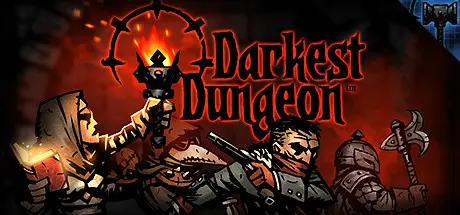
July 24, 20251 yr Darkest Dungeon Game DetailsRelease Name: Darkest DungeonGame Version: v27760 | Build 24784538Release Date: 19 Jan, 2016Publisher: Red Hook StudiosDeveloper: Red Hook StudiosBased On: CSF & GoldbergDarkest Dungeon Direct Download - Game ReviewDarkest Dungeon is a challenging gothic roguelike turn-based RPG about the psychological stresses of adventuring.Recruit, train, and lead a team of flawed heroes through twisted forests, forgotten warrens, ruined crypts, and beyond. You'll battle not only unimaginable foes, but stress, famine, disease, and the ever-encroaching dark. Uncover strange mysteries, and pit the heroes against an array of fearsome monsters with an innovative strategic turn-based combat system.The Affliction System – battle not only monsters, but stress! Contend with paranoia, masochism, fear, irrationality, and a host of gameplay-meaningful quirks!Striking hand-drawn gothic crowquill art styleInnovative turn-based combat pits you against a host of diabolical monstersNarration system to celebrate your successes...and failures16 (and counting!) playable hero classes, including Plague Doctor, Hellion, and even the Leper!Camp to heal wounds or deliver inspiring speeches.Rest your weary, shell-shocked characters in town at the Tavern or the Abbey to keep their stress in check.Classic CRPG and roguelike features, including character permadeath, procedural dungeons, and incredible replayDarkest Dungeon Screenshots Darkest Dungeon TrailerDarkest Dungeon System RequirementsMinimum RequirementsRecommended RequirementsOSWindows XPWindows 7+Processor--Memory2 GB RAM4 GB RAMGraphicsOpen GL 3.2+ CompliantOpen GL 3.2+ CompliantDirectX--Storage2 GB available space2 GB available spaceHow to Install Darkest DungeonNo Installation Needed: The game is pre-installed. Just download and extract.Extract: Right-click the .zip or .rar file and select "Extract Here" or "Extract to folder".Run: Find _windows\win64\Darkest.exe inside the folder and run it.Game Data & SettingsChange Language: Edit the file located at steam_settings/Configs.user.iniImportant NotesTo support the Game Developer, Get It On Steam.DLC ListAdded DLCsDarkest Dungeon®: The Fire's EdgeDarkest Dungeon©: The Butcher's CircusDarkest Dungeon®: The Color of MadnessDarkest Dungeon®: The ShieldbreakerDarkest Dungeon®: The Crimson CourtDarkest Dungeon®: The Musketeer🔥DOWNLOAD AREA🔥🔹3 GB🔹Select the server you want to download with ZeiLink.Download





Create an account or sign in to comment