



Skip to content
View in the app

A better way to browse. Learn more.

ZeiGames

A full-screen app on your home screen with push notifications, badges and more.

To install this app on iOS and iPadOS
  1. Tap the Share icon in Safari
  2. Scroll the menu and tap Add to Home Screen.
  3. Tap Add in the top-right corner.
To install this app on Android
  1. Tap the 3-dot menu (⋮) in the top-right corner of the browser.
  2. Tap Add to Home screen or Install app.
  3. Confirm by tapping Install.

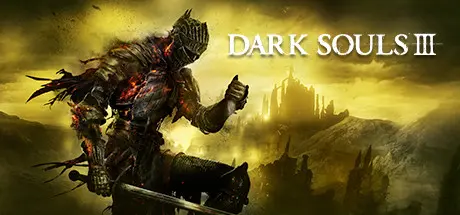
DARK SOULS III Free Download (v1.15.2 + ALL DLC + Online)
Featured Replies

header.webp

Game Details

Release Name: DARK SOULS III

Game Version: v1.15.2 | Build 10167187

Release Date: 11 Apr, 2016

Publisher: FromSoftware, Inc., Bandai Namco Entertainment

Developer: FromSoftware, Inc.

Based On: CSF & Goldberg

DARK SOULS III Direct Download - Game Review

DARK SOULS III continues to push the boundaries with the latest, ambitious chapter in the critically-acclaimed and genre-defining series.

As fires fade and the world falls into ruin, journey into a universe filled with more colossal enemies and environments. Players will be immersed into a world of epic atmosphere and darkness through faster gameplay and amplified combat intensity. Fans and newcomers alike will get lost in the game hallmark rewarding gameplay and immersive graphics.
Now only embers remain… Prepare yourself once more and Embrace The Darkness!


Game Screenshots

screenshot screenshot screenshot screenshot


Game Trailer


System Requirements

Minimum Requirements

Recommended Requirements

OS

Windows 7 SP1 64bit, Windows 8.1 64bit Windows 10 64bit

Windows 7 SP1 64bit, Windows 8.1 64bit Windows 10 64bit

Processor

Intel Core i3-2100 / AMD® FX-6300

Intel Core i7-3770 / AMD® FX-8350

Memory

4 GB RAM

8 GB RAM

Graphics

NVIDIA® GeForce GTX 750 Ti / ATI Radeon HD 7950

NVIDIA® GeForce GTX 970 / ATI Radeon R9 series

DirectX

Version 11

Version 11

Storage

25 GB available space

25 GB available space


Installation Guide

  1. No Installation Needed: The game is pre-installed. Just download and extract.

  2. Extract: Right-click the .zip or .rar file and select "Extract Here" or "Extract to folder".

  3. Put the DARK SOULS III Folder here! "C:\Program Files (x86)\Steam\steamapps\common\" If you don't do this, the game stays on the black screen

  4. Run: Find Launcher.exe inside the folder and run it.

Game Data & Settings

  • Change Language: Edit the file located at steam_settings/Configs.user.ini

  • Save Data Location: %USERPROFILE%/AppData/Roaming/DarkSoulsIII

Important Notes

DLC List

Added DLCs

DARK SOULS III - The Ringed City

DARK SOULS III - Ashes of Ariandel

DARK SOULS III - Season Pass

🔥DOWNLOAD AREA🔥

🔹24.35 GB🔹

Select the server you want to download with ZeiLink.

Download

Online Fix - (RAR pass: rexagames.com)

  • 2 months later...
  • Replies 7
  • Views 3.7k
  • Created
  • Last Reply

Top Posters In This Topic

Most Helpful Posts

Posted Images

  • 4 months later...
On 10/6/2025 at 3:29 AM, DicDale said:

Your antivirus program deleted this file.

There is no launcher even in zip, also download folder is excluded from antivirus
image.png

  • 2 weeks later...
On 2/6/2026 at 8:28 PM, DicDale said:

Use steam_client_loader.exe

Sorry about that, post just said 'Launcher.exe' so I was just searching for that. Thank you!

  • DicDale changed the title to DARK SOULS III Free Download (v1.15.2 + ALL DLC + Online)

Create an account or sign in to comment

Recently Browsing 0

  • No registered users viewing this page.

Account

Navigation

Search

Search

🔎 Search Tip
For exact results, search using "game name" .
Without quotes, results may include unrelated titles.

Configure browser push notifications

Chrome (Android)
  1. Tap the lock icon next to the address bar.
  2. Tap Permissions → Notifications.
  3. Adjust your preference.
Chrome (Desktop)
  1. Click the padlock icon in the address bar.
  2. Select Site settings.
  3. Find Notifications and adjust your preference.