



Skip to content
View in the app

A better way to browse. Learn more.

ZeiGames

A full-screen app on your home screen with push notifications, badges and more.

To install this app on iOS and iPadOS
  1. Tap the Share icon in Safari
  2. Scroll the menu and tap Add to Home Screen.
  3. Tap Add in the top-right corner.
To install this app on Android
  1. Tap the 3-dot menu (โ‹ฎ) in the top-right corner of the browser.
  2. Tap Add to Home screen or Install app.
  3. Confirm by tapping Install.

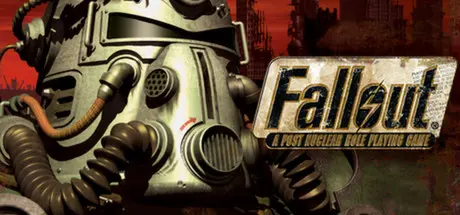
Fallout: A Post Nuclear Role Playing Game Free Download (Build 300289)
Featured Replies

header.webp

Game Details

Release Name:ย Fallout: A Post Nuclear Role Playing Game

Game Version:ย Build 300289

Release Date: 1 Nov, 2015

Publisher: Bethesda Softworks

Developer: Interplay Inc.

Based On:ย GOG

Fallout: A Post Nuclear Role Playing Game Direct Download - Game Review

You've just unearthed the classic post-apocalyptic role-playing game that revitalized the entire CRPG genre. The Falloutยฎ SPECIAL system allows drastically different types of characters, meaningful decisions and development that puts you in complete control. Explore the devastated ruins of a golden age civilization. Talk, sneak or fight your way past mutants, gangsters and robotic adversaries. Make the right decisions or you could end up as another fallen hero in the wastelands...


Game Screenshots

screenshot screenshot screenshot screenshot


Game Trailer


System Requirements

Minimum Requirements

Recommended Requirements

OS

Windows

-

Processor

Pentium 90Mhz or faster

-

Memory

16 MB

-

Graphics

SVGA

-

DirectX

Any DirectX

-

Storage

565 MB

-


Installation Guide

  1. No Installation Needed: The game is pre-installed. Just download and extract.

  2. Extract: Right-click the .zip or .rar file and select "Extract Here" or "Extract to folder".

  3. Run: Find falloutlauncher.exe inside the folder and run it.

Important Notes

๐Ÿ”ฅDOWNLOAD AREA๐Ÿ”ฅ

๐Ÿ”น495 MB๐Ÿ”น

Select the server you want to download with ZeiLink.

Download

  • Views 609
  • Created
  • Last Reply

Posted Images

Create an account or sign in to comment

Recently Browsing 0

  • No registered users viewing this page.

Account

Navigation

Search

Search

๐Ÿ”Ž Search Tip
For exact results, search using "game name" .
Without quotes, results may include unrelated titles.

Configure browser push notifications

Chrome (Android)
  1. Tap the lock icon next to the address bar.
  2. Tap Permissions โ†’ Notifications.
  3. Adjust your preference.
Chrome (Desktop)
  1. Click the padlock icon in the address bar.
  2. Select Site settings.
  3. Find Notifications and adjust your preference.
