



Skip to content
View in the app

A better way to browse. Learn more.

ZeiGames

A full-screen app on your home screen with push notifications, badges and more.

To install this app on iOS and iPadOS
  1. Tap the Share icon in Safari
  2. Scroll the menu and tap Add to Home Screen.
  3. Tap Add in the top-right corner.
To install this app on Android
  1. Tap the 3-dot menu (โ‹ฎ) in the top-right corner of the browser.
  2. Tap Add to Home screen or Install app.
  3. Confirm by tapping Install.

Asgard's Fall โ€” Viking Survivors Free Download (v0.2.1.b)
Featured Replies

header.webp

Game Details

Release Name:ย Asgard's Fall โ€” Viking Survivors

Game Version:ย v0.2.1.b | Build 19351133

Release Date: 9 Apr, 2025

Publisher: Assemble Entertainment, Sidekick Publishing

Developer: Soulpotion

Based On:ย CSF & Goldberg

Asgard's Fall โ€” Viking Survivors Direct Download - Game Review

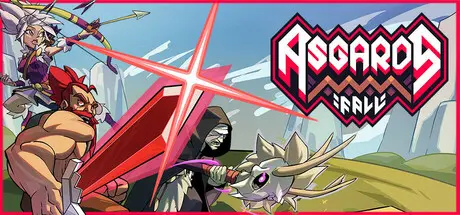
Embark on an epic saga in Asgard's Fall, a norse Survivors-like Roguelite. Fight your way through hordes of creatures and let the gods feel your relentless wrath. How will your saga unfold?

You can choose from a variety of heroes to demonstrate your might in the battle against Asgard, such as the fierce Warrior and the agile Huntress, each with their own distinct skill tree. Do you have the courage to face the hordes and leaders of the Nine Realms?

Master the art of combat with the dynamic Ability System. Choose from a diverse array of skills, each tailored to your playstyle. Unleash devastating attacks, strategic buffs, and unique powers to conquer the Nine Realms. Forge your hero's destiny!

Behold the Web of Wyrd, where the threads of destiny are woven by your own hand. Forge your fate by placing powerful knots into the Web of Wyrd, further enhancing your strength on your path to conquering Asgard.

A meta-progression system where you unlock Warpaint runes that modify and amplify your characters' abilities. It features an inventory management system, challenging you to fit as many effective runes as possible into a limited space, maximizing their impact on your abilities, playstyle, and strategy.

Warpaint runes can be found during battle or crafted using pigments looted from enemies or discovered in Yggdrasil's Gift caches.ย ย 

Shape your hero's evolution with our intricate Skill Tree. Customize your playstyle by unlocking diverse abilities, enhancing strengths, and adapting to challenges. Every choice influences your saga's outcome. Craft a hero uniquely suited to your journey through the Nine Realms!


Game Screenshots

screenshot screenshot screenshot screenshot


Game Trailer


System Requirements

Minimum Requirements

Recommended Requirements

OS

Windows 10

-

Processor

Intel i5-7200U @ 2.50GHz or equivalent

-

Memory

8 GB RAM

-

Graphics

GTX 770 / Radeon 8950 HD

-

DirectX

-

-

Storage

150 MB available space

-


Installation Guide

  1. No Installation Needed: The game is pre-installed. Just download and extract.

  2. Extract: Right-click the .zip or .rar file and select "Extract Here" or "Extract to folder".

  3. Run: Find Asguard.exe inside the folder and run it.

Game Data & Settings

  • Change Language: Edit the file located at steam_settings/Configs.user.ini

  • Save Data Location: %USERPROFILE%/AppData/Local/AsgardsFall/Saves

Important Notes

๐Ÿ”ฅDOWNLOAD AREA๐Ÿ”ฅ

๐Ÿ”น71 MB๐Ÿ”น

Select the server you want to download with ZeiLink.

Download

  • DicDale changed the title to Asgard's Fall โ€” Viking Survivors Free Download ()
  • DicDale changed the title to Asgard's Fall โ€” Viking Survivors Free Download (v0.2.1.b)

  • Views 402
  • Created
  • Last Reply

Posted Images

Create an account or sign in to comment

Recently Browsing 0

  • No registered users viewing this page.

Account

Navigation

Search

Search

๐Ÿ”Ž Search Tip
For exact results, search using "game name" .
Without quotes, results may include unrelated titles.

Configure browser push notifications

Chrome (Android)
  1. Tap the lock icon next to the address bar.
  2. Tap Permissions โ†’ Notifications.
  3. Adjust your preference.
Chrome (Desktop)
  1. Click the padlock icon in the address bar.
  2. Select Site settings.
  3. Find Notifications and adjust your preference.