



Skip to content
View in the app

A better way to browse. Learn more.

ZeiGames

A full-screen app on your home screen with push notifications, badges and more.

To install this app on iOS and iPadOS
  1. Tap the Share icon in Safari
  2. Scroll the menu and tap Add to Home Screen.
  3. Tap Add in the top-right corner.
To install this app on Android
  1. Tap the 3-dot menu (โ‹ฎ) in the top-right corner of the browser.
  2. Tap Add to Home screen or Install app.
  3. Confirm by tapping Install.

Sker Ritual Free Download (v1.3.3.25624 + ALL DLC)
Featured Replies

header.webp

Game Details

Release Name:ย Sker Ritual

Game Version:ย v1.3.3.25624 | Build 21745515

Release Date: 18 Apr, 2024

Publisher: Skybound Games

Developer: Wales Interactive

Based On:ย CSF & Goldberg

Sker Ritual Direct Download - Game Review

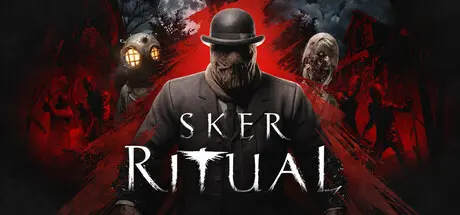
An intense, round-based, zombie horror shooter by indie developers at Wales Interactive. Play solo or up-to 4-players online, facing relentless waves of Quiet Ones whilst solving mysterious missions, uncovering Easter Eggs, upgrading steampunk weapons and obtaining Miracles โ€” a vast network of Celtic God powers.

Itโ€™s 1914, and Elisabeth Williams has conquered Sker Island, now seeking domination with a broadcast of the Sirenโ€™s Song. Arianwen, her daughter, has opposed her, and after being mysteriously awakened, you must join her mission to thwart the broadcast and save the world from descending into hell. Sker Ritual is not a direct sequel, but an FPS spin-off from the award-winning British indie horror game, Maid of Sker!

โ€ข Old-school round-based FPS action
โ€ข Play solo or up-to 4-players online
โ€ข Story continued from Maid of Sker โ€˜evilโ€™ ending
โ€ข Optional objectives & hidden Easter Eggs
โ€ข Supercharged โ€˜Elitesโ€™ with unique abilities
โ€ข Collect and enhance 'Miracle' powers
โ€ข Explore free reward systems โ€˜Dread Levelsโ€™ and โ€˜Sker Passโ€™


Game Screenshots

screenshot screenshot screenshot screenshot


Game Trailer


System Requirements

Minimum Requirements

Recommended Requirements

OS

Windows 7, 8.1, 10 (64-bit required)

Windows 10 64-bit

Processor

Intel Core i5-4460 / AMD FX-6300

Intel Core i5-10500 / AMD Ryzen 5 2600 or better

Memory

8 GB RAM

8 GB RAM

Graphics

NVIDIA GeForce GTX 760 / AMD Radeon R7 260x with 2GB Video RAM

NVIDIA GeForce GTX 970 / AMD Radeon R9 290 or better

DirectX

Version 11

Version 11

Storage

15 GB available space

15 GB available space


Installation Guide

  1. No Installation Needed: The game is pre-installed. Just download and extract.

  2. Extract: Right-click the .zip or .rar file and select "Extract Here" or "Extract to folder".

  3. Run: Find SkerRitual.exe inside the folder and run it.

Game Data & Settings

  • Change Language: Edit the file located at steam_settings/Configs.user.ini

  • Save Data Location: /Sker Ritual/

Important Notes

DLC List

Added DLCs

Sker Ritual - Hazard Levels

Sker Ritual - Invasion of the Brain Eaters

Sker Ritual - Dead by Nightfall

Sker Ritual - Skerville Slasher

Sker Ritual - Bloody Night

Sker Ritual - Murder Express

Sker Ritual - Headless Wanderer

Sker Ritual - Devil's Sacrifice

Sker Ritual - Smuggler's Fortune

Sker Ritual - Siren's Song

Sker Ritual - Stranger Danger

Sker Ritual - The Quiet Ones

Sker Ritual - Goon Brenn

Sker Ritual - Friends in the Darkness

Sker Ritual - Draigs Terror

๐Ÿ”ฅDOWNLOAD AREA๐Ÿ”ฅ

๐Ÿ”น11.59 GB๐Ÿ”น

Select the server you want to download with ZeiLink.

Download

  • 6 months later...
  • Replies 1
  • Views 1.2k
  • Created
  • Last Reply

Top Posters In This Topic

Posted Images

  • DicDale changed the title to Sker Ritual Free Download (v1.3.3.25624 + ALL DLC)

Create an account or sign in to comment

Recently Browsing 0

  • No registered users viewing this page.

Account

Navigation

Search

Search

๐Ÿ”Ž Search Tip
For exact results, search using "game name" .
Without quotes, results may include unrelated titles.

Configure browser push notifications

Chrome (Android)
  1. Tap the lock icon next to the address bar.
  2. Tap Permissions โ†’ Notifications.
  3. Adjust your preference.
Chrome (Desktop)
  1. Click the padlock icon in the address bar.
  2. Select Site settings.
  3. Find Notifications and adjust your preference.