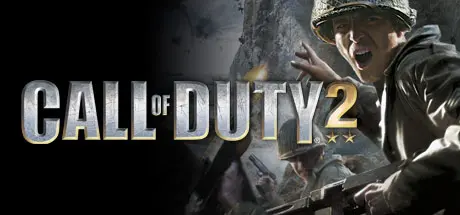
July 18, 20251 yr Call of Duty 2 Game DetailsRelease Name: Call of Duty® 2Game Version: v1.0.0Release Date: 13 Oct, 2006Publisher: ActivisionDeveloper: Infinity WardBased On: CSF & GoldbergCall of Duty® 2 Direct Download - Game OverviewCall of Duty® 2 redefines the cinematic intensity and chaos of battle as seen through the eyes of ordinary soldiers fighting together in epic WWII conflicts. The sequel to 2003's Call of Duty, winner of over 80 Game of the Year awards, Call of Duty 2 offers more immense, more intense, more realistic battles than ever before, thanks to the stunning visuals of the new COD™2 engine.The #1 WWII shooter development team returns with an amazing new experience: Developed by Infinity Ward, creators of the award-winning Call of Duty. All-new, unprecedented enhancements from stunningly realistic graphics to seamless gameplay, thanks to the revolutionary COD2 engine, groundbreaking AI, and choice-based gameplay innovations. Beautifully rendered snow, rain, fog, and smoke, combined with dynamic lighting and shadows, make this the most intense WWII shooter yet.New conflicts and enemies to face: Call of Duty 2 brings you bigger battles, with more tanks, troops, and explosions on-screen, and bigger scope, with a wide range of locales and environments across the European Theater. Fight "The Desert Fox" across the scorching sands of North Africa as wave upon wave of tanks clash in the desert. Use rocket-propelled grappling hooks alongside your Army Ranger squad to storm and scale the cliffs of Pointe du Hoc against a relentless German counterassault, and slog through urban chaos as a tank hunter in war-torn Russia. Rely on your squad as never before: The dozens of Allied soldiers surrounding you are fully aware of the changing situations around them, and will let you know using an all-new, context-sensitive battle chatter system. They will draw enemy fire, lay down cover for you, use foxholes and moving tanks for cover, and warn you of incoming enemy troops and hostile fire.Choice-based gameplay: Play through missions in the order you see fit. Will you decide to play first as a sniper or as a tank commander? It's your call. Open-ended battlefields allow you to individualize your tactics and choose the order in which you complete your objectives. Multiplayer Mayhem: Go online for intense Axis vs. Allies team-based multiplayer action, building on the hugely popular Call of Duty multiplayer modes.Call of Duty 2 Screenshots Call of Duty 2 TrailerCall of Duty 2 System RequirementsMinimum RequirementsRecommended RequirementsOS--Processor--Memory--Graphics--DirectX--Storage--How to Install Call of Duty 2No Installation Needed: The game is pre-installed. Just download and extract.Extract: Right-click the .zip or .rar file and select "Extract Here" or "Extract to folder".Run: Find CoD2SP_s.exe inside the folder and run it.CD KEY: XEZL-GZWX-XQZG-GEGU-EEFCImportant NotesTo support the Game Developer, Get It On Steam.🔥DOWNLOAD AREA🔥🔹3.42 GB🔹Select the server you want to download with ZeiLink.Download





Create an account or sign in to comment