



Skip to content
View in the app

A better way to browse. Learn more.

ZeiGames

A full-screen app on your home screen with push notifications, badges and more.

To install this app on iOS and iPadOS
  1. Tap the Share icon in Safari
  2. Scroll the menu and tap Add to Home Screen.
  3. Tap Add in the top-right corner.
To install this app on Android
  1. Tap the 3-dot menu (โ‹ฎ) in the top-right corner of the browser.
  2. Tap Add to Home screen or Install app.
  3. Confirm by tapping Install.

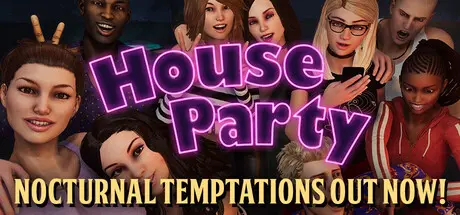
House Party Free Download (v1.5.2.13984 + ALL DLC)
Featured Replies

header.webp

Game Details

Release Name:ย House Party

Game Version:ย v1.5.2.13984 | Build 22425508

Release Date: 15 Jul, 2022

Publisher: Eek! Games, LLC

Developer: Eek! Games, LLC

Based On:ย CSF & Goldberg

House Party Direct Download - Game Review

This hysterical, story-rich 3D adventure game is all about player choice and partying the way you want. House Party's unique AI and scripting system allows the game to shape and mold its content around your choices. You'll see something new or different each time you play. To date, there are hundreds of different stories, side-quests, and narratives, and thousands of branching stories and dynamic elements. Content is being added regularly, so it just keeps getting bigger and better! Each new game starts at the door as a blank canvas for your decisions.

One big house, packed with choices

Sweet news! Your buddy Derek invited you to a rager at Madison's house. Surrounded by a group of eccentric partygoers, you must navigate your way through the night - no matter how wild it gets!

Step into a sandbox adventure party game where even your simplest choices can impact the game in a magnificent way.

Explore thousands of unique branching narratives with fifteen distinct NPCs that react based on your every remark and action, paving the way for tons of hours of unpredictable and hilarious entertainment.

House Partyโ€™s gameplay starts with the conversations and grows with the decisions made along the way. With no true ending but dozens of stories to navigate, the night is what you make it.


Game Screenshots

screenshot screenshot screenshot screenshot


Game Trailer


System Requirements

Minimum Requirements

Recommended Requirements

OS

Windows 7+

Windows 7+

Processor

Intel Pentium G4500, AMD FX8350 or equivalent

Intel i5 6500, AMD Ryzen 3-1200 or above

Memory

8 GB RAM

8 GB RAM

Graphics

Direct X 11 GPU w/ 2GB Available Video Memory

NVIDIA GTX 1060 6GB, AMD RX570 or above

DirectX

Version 11

Version 11

Storage

8 GB available space

8 GB available space


Installation Guide

  1. No Installation Needed: The game is pre-installed. Just download and extract.

  2. Extract: Right-click the .zip or .rar file and select "Extract Here" or "Extract to folder".

  3. Run: Find HouseParty.exe inside the folder and run it.

Game Data & Settings

  • Change Language: Edit the file located at steam_settings/Configs.user.ini

  • Save Data Location: %USERPROFILE%/AppData/LocalLow/Eek/House Party/Saves

Important Notes

DLC List

Added DLCs

House Party - Nocturnal Temptations Expansion Pack

House Party - Supporter Pack

House Party - Valentine's Day Holiday Pack

House Party - Business and Pleasure Style Pack

House Party - Winter Holiday Pack

House Party - Halloween Holiday Pack

House Party - Doja Cat Expansion Pack

House Party - Detective Liz Katz in a Gritty Kitty Murder Mystery Expansion Pack

House Party - Explicit Content Add-On

๐Ÿ”ฅDOWNLOAD AREA๐Ÿ”ฅ

๐Ÿ”น7.20 GB๐Ÿ”น

Select the server you want to download with ZeiLink.

Download

  • DicDale changed the title to House Party Free Download (v1.5.2.13984 + ALL DLC)

  • Views 3.1k
  • Created
  • Last Reply

Posted Images

Create an account or sign in to comment

Recently Browsing 0

  • No registered users viewing this page.

Account

Navigation

Search

Search

๐Ÿ”Ž Search Tip
For exact results, search using "game name" .
Without quotes, results may include unrelated titles.

Configure browser push notifications

Chrome (Android)
  1. Tap the lock icon next to the address bar.
  2. Tap Permissions โ†’ Notifications.
  3. Adjust your preference.
Chrome (Desktop)
  1. Click the padlock icon in the address bar.
  2. Select Site settings.
  3. Find Notifications and adjust your preference.