



Skip to content
View in the app

A better way to browse. Learn more.

ZeiGames

A full-screen app on your home screen with push notifications, badges and more.

To install this app on iOS and iPadOS
  1. Tap the Share icon in Safari
  2. Scroll the menu and tap Add to Home Screen.
  3. Tap Add in the top-right corner.
To install this app on Android
  1. Tap the 3-dot menu (โ‹ฎ) in the top-right corner of the browser.
  2. Tap Add to Home screen or Install app.
  3. Confirm by tapping Install.

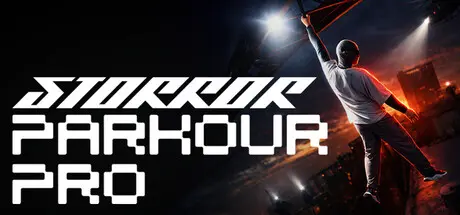
STORROR Parkour Pro Free Download (Build 17997258)
Featured Replies

header.webp

Game Details

Release Name:ย STORROR Parkour Pro

Game Version:ย Build 17997258

Release Date: 31 Mar, 2025

Publisher: Hole in the Sleeve Game Studios

Developer: Hole in the Sleeve Game Studios

Based On:ย CSF & Goldberg

STORROR Parkour Pro Direct Download - Game Review

The city is your playground. The risk is real. The path is yours.

Parkour legends STORROR and game developer HITS collaborate for STORROR Parkour Proโ€ฆ A physics-driven experience that will immerse you in an authentic urban environment. Master your movement, challenge your instincts, and traverse a city designed for limitless creative potential. This Early Access release is focused on a core, reliable experience that is both challenging and rewarding.

JOIN THE MOVEMENT

A cutting edge animation system, that combines motion-captured animations from the best parkour athletes in the world, with physics driven movement, to create the perfect balance of realistic and arcade gameplay, pushing the boundaries of parkour, animation and movement in games to a whole new level. No two moves are the same, and with hundreds of unique parkour animations, you can jump, climb, vault, flip, slide, swing, stride and so much more, with the most complete set of parkour mechanics in any game ever, right at your fingertips.

We're developing this game in tandem with our community, treating every player as a partner in design. Through Early Access, your feedback directly influences our roadmap, from refining core movement to deciding on the next great challenge. This shared journey ensures that every feature we build, every bug we fix, and every new city we design is a direct response to what players need to make this the ultimate parkour experience.


Game Screenshots

screenshot screenshot screenshot screenshot


Game Trailer


System Requirements

Minimum Requirements

Recommended Requirements

OS

Windows 10+

Windows 10+

Processor

Intel i5-4460 / AMD Ryzen 5 1400

Intel i7-4790 / AMD Ryzen 5 1600

Memory

16 GB RAM

32 GB RAM

Graphics

Nvidia GeForce GTX 1060 or Higher, 6Gb GPU ram

Nvidia GeForce RTX 3060 or Higher

DirectX

Version 12

Version 12

Storage

28 GB available space

28 GB available space


Installation Guide

  1. No Installation Needed: The game is pre-installed. Just download and extract.

  2. Extract: Right-click the .zip or .rar file and select "Extract Here" or "Extract to folder".

  3. Run: Find STORRORParkourPro.exe inside the folder and run it.

Multiplayer & Online (Optional)

  • Play Online: Download the Online Fix file and apply it to the game folder.

Game Data & Settings

  • Change Language: Edit the file located at steam_settings/Configs.user.ini

  • Save Data Location: %USERPROFILE%/AppData/Local/STORRORParkourPRO/Saved/SaveGames/

Important Notes

๐Ÿ”ฅDOWNLOAD AREA๐Ÿ”ฅ

๐Ÿ”น21.77 GB๐Ÿ”น

Select the server you want to download with ZeiLink.

Download

Online Fix - (RAR pass: rexagames.com)

  • 6 months later...
  • Replies 1
  • Views 1.9k
  • Created
  • Last Reply

Top Posters In This Topic

Posted Images

  • DicDale changed the title to STORROR Parkour Pro Free Download (Build 17997258)

Create an account or sign in to comment

Recently Browsing 0

  • No registered users viewing this page.

Account

Navigation

Search

Search

๐Ÿ”Ž Search Tip
For exact results, search using "game name" .
Without quotes, results may include unrelated titles.

Configure browser push notifications

Chrome (Android)
  1. Tap the lock icon next to the address bar.
  2. Tap Permissions โ†’ Notifications.
  3. Adjust your preference.
Chrome (Desktop)
  1. Click the padlock icon in the address bar.
  2. Select Site settings.
  3. Find Notifications and adjust your preference.