



Skip to content
View in the app

A better way to browse. Learn more.

ZeiGames

A full-screen app on your home screen with push notifications, badges and more.

To install this app on iOS and iPadOS
  1. Tap the Share icon in Safari
  2. Scroll the menu and tap Add to Home Screen.
  3. Tap Add in the top-right corner.
To install this app on Android
  1. Tap the 3-dot menu (⋮) in the top-right corner of the browser.
  2. Tap Add to Home screen or Install app.
  3. Confirm by tapping Install.

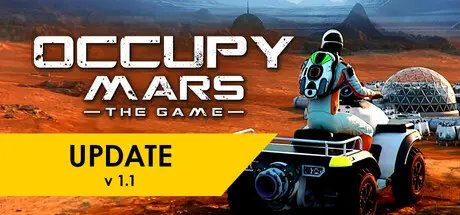
Occupy Mars: The Game Free Download (v1.0.12 + Supporter Pack DLC + Online)
Featured Replies

header.webp

Game Details

Release Name: Occupy Mars: The Game

Game Version: v1.0.12 | Build 21925173

Release Date: 30 Jan, 2026

Publisher: ▲ Pyramid Games, PlayWay S.A.

Developer: ▲ Pyramid Games

Based On: CSF & Goldberg

Occupy Mars: The Game Direct Download - Game Review

Occupy Mars is a technical, open-world sandbox, survival game about Mars colonization inspired by the most promising technologies and companies that are working towards the goal of humanity becoming a multi-planet species.

Build and upgrade your base, discover new regions, conduct mining operations, retrieve water, generate oxygen, grow crops, fix broken parts, and learn how to survive on Mars!

Build greenhouses, oxygen tanks, fuel generators, connect all the pipes and cables, and remember about proper cable management. Grow your own food.

Manage your energy production and build your electricity grid. Make sure that there is enough water, oxygen, power, and food to survive.

Fix broken parts using realistic electronic components and tools. Learn the basics soldering, using hot air, measurement tools, and all the details necessary to fix your equipment.

Explore different regions of Mars while searching for valuable resources, discover mining sites, and find the best place to build a city.

Remember that you need to find a relatively leveled area with good access to underground water in a place where temperatures don't drop too much during the night.


Game Screenshots

screenshot screenshot screenshot screenshot


Game Trailer


System Requirements

Minimum Requirements

Recommended Requirements

OS

Windows 10

Windows 10

Processor

Intel Core i5-6400 / AMD Ryzen 5 1500X

Intel Core i5-6600K / AMD Ryzen 5 2600X or better

Memory

8 GB RAM

16 GB RAM

Graphics

RX 570 4GB VRAM / GeForce GTX 970 4GB VRAM

GeForce GTX 1070 8GB VRAM or better

DirectX

Version 11

Version 11

Storage

15 GB available space

20 GB available space


Installation Guide

  1. No Installation Needed: The game is pre-installed. Just download and extract.

  2. Extract: Right-click the .zip or .rar file and select "Extract Here" or "Extract to folder".

  3. Run: Find OccupyMars.exe inside the folder and run it.

Multiplayer & Online (Optional)

  • Play Online: Download the Online Fix file and apply it to the game folder.

  • Please go to the online fix page and read the guide.

Game Data & Settings

  • Change Language: Edit the file located at steam_settings/Configs.user.ini

  • Save Data Location: %USERPROFILE%/AppData/LocalLow/PyramidGames/OccupyMars/SaveData/

Important Notes

DLC List

Added DLCs

Occupy Mars: Supporter Pack: Official Soundtrack, ArtBook, Comic Book & more

🔥DOWNLOAD AREA🔥

🔹10.01 GB🔹

Select the server you want to download with ZeiLink.

Download

Online Fix - (RAR pass: rexagames.com)

  • DicDale changed the title to Occupy Mars: The Game Free Download (v1.0.12 + Supporter Pack DLC + Online)

  • Views 1.3k
  • Created
  • Last Reply

Posted Images

Create an account or sign in to comment

Recently Browsing 0

  • No registered users viewing this page.

Account

Navigation

Search

Search

🔎 Search Tip
For exact results, search using "game name" .
Without quotes, results may include unrelated titles.

Configure browser push notifications

Chrome (Android)
  1. Tap the lock icon next to the address bar.
  2. Tap Permissions → Notifications.
  3. Adjust your preference.
Chrome (Desktop)
  1. Click the padlock icon in the address bar.
  2. Select Site settings.
  3. Find Notifications and adjust your preference.