



Skip to content
View in the app

A better way to browse. Learn more.

ZeiGames

A full-screen app on your home screen with push notifications, badges and more.

To install this app on iOS and iPadOS
  1. Tap the Share icon in Safari
  2. Scroll the menu and tap Add to Home Screen.
  3. Tap Add in the top-right corner.
To install this app on Android
  1. Tap the 3-dot menu (⋮) in the top-right corner of the browser.
  2. Tap Add to Home screen or Install app.
  3. Confirm by tapping Install.

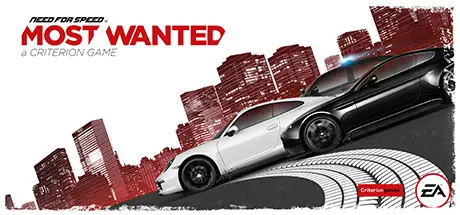
Need for Speed Most Wanted Free Download (v1.5.0.0 + ALL DLC)
Featured Replies

header.webp

Game Details

Release Name: Need for Speed Most Wanted

Game Version: v1.5.0.0

Release Date: 18 Jun, 2020

Publisher: Electronic Arts

Developer: Criterion Games

Based On: PLAZA

Need for Speed Most Wanted Direct Download - Game Review

The open-world action in Need for Speed Most Wanted gives you the freedom to drive your way. Hit jumps and shortcuts, switch cars, lie low, or head for terrain that plays to your vehicle’s unique strengths. Fight your way past cops and rivals using skill, high-end car tech, and tons of nitrous. It’s all about you, your friends, and a wild selection of cars. Let’s see what you can do.

Key features

  • Experience nonstop action — No menus, no lobbies, and no restrictions — just intense competition. Race, battle, crash, and explore at your own pace with a massive variety of things to do (and rewards to collect) throughout the open world.

  • Prove you’re the best — Pick a car & jump into a nonstop playlist of competitive events in online mode. Influence the playlist by voting with your car. Jostle for position on the starting line. Cross the finish line and turn around to take out oncoming rivals.

  • Beat your friends — Autolog records everything you do, broadcasting a feed of your most newsworthy scores, speeds, and times to your friends — and you’ll see there’s too. Whatever you do, there’s someone to beat.

  • Test your urban handling skills — Need for Speed Most Wanted delivers a deep, physical experience that showcases the personalities of awesome licensed cars. Experience insane speeds, spectacular crashes, aggressive driving, and huge drifts.


Game Screenshots

screenshot screenshot screenshot screenshot


Game Trailer


System Requirements

Minimum Requirements

Recommended Requirements

OS

Windows Vista (Service Pack 2 and all available windows updates) 32-bit

Windows 7 (Service Pack 1 and all available windows updates) 64-bit

Processor

2 GHz Dual Core (Core 2 Duo 2.4 GHZ or Althon X2 2.7 GHz)

Quad-Core CPU

Memory

2 GB RAM

4 GB RAM

Graphics

DirectX 10.1 compatible with 512 MB RAM (ATI RADEON 3000, 4000, 5000 OR 6000 series, with ATI RADEON 3870 or higher performance)

DirectX 11 compatible with 1024 MB RAM (NVIDIA GEFORCE GTX 560 or ATI RADEON 6950)

DirectX

-

-

Storage

20 GB available space

20 GB available space


Installation Guide

  1. No Installation Needed: The game is pre-installed. Just download and extract.

  2. Extract: Right-click the .zip or .rar file and select "Extract Here" or "Extract to folder".

  3. Run: Find NFS13.exe inside the folder and run it.

Important Notes

DLC List

Added DLCs

Need for Speed Most Wanted - Terminal Velocity Pack

Need for Speed Most Wanted - Key

Need for Speed Most Wanted Multiplayer Booster Pack

Need for Speed Most Wanted Complete DLC Bundle

Need for Speed Most Wanted Premium Timesavers Pack

Need For Speed Most Wanted - Premium Modification Unlock

🔥DOWNLOAD AREA🔥

🔹6.14 GB🔹

Select the server you want to download with ZeiLink.

Download

  • Views 1.9k
  • Created
  • Last Reply

Posted Images

Create an account or sign in to comment

Recently Browsing 0

  • No registered users viewing this page.

Account

Navigation

Search

Search

🔎 Search Tip
For exact results, search using "game name" .
Without quotes, results may include unrelated titles.

Configure browser push notifications

Chrome (Android)
  1. Tap the lock icon next to the address bar.
  2. Tap Permissions → Notifications.
  3. Adjust your preference.
Chrome (Desktop)
  1. Click the padlock icon in the address bar.
  2. Select Site settings.
  3. Find Notifications and adjust your preference.
