



Skip to content
View in the app

A better way to browse. Learn more.

ZeiGames

A full-screen app on your home screen with push notifications, badges and more.

To install this app on iOS and iPadOS
  1. Tap the Share icon in Safari
  2. Scroll the menu and tap Add to Home Screen.
  3. Tap Add in the top-right corner.
To install this app on Android
  1. Tap the 3-dot menu (โ‹ฎ) in the top-right corner of the browser.
  2. Tap Add to Home screen or Install app.
  3. Confirm by tapping Install.

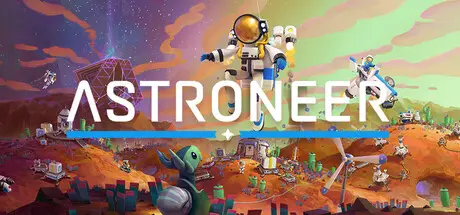
ASTRONEER Free Download (v1.42.3.0 + ALL DLC + Online)
Featured Replies

header.webp

Game Details

Release Name:ย ASTRONEER

Game Version:ย v1.42.3.0 | Build 23982602

Release Date: 5 Feb, 2019

Publisher: System Era Softworks

Developer: System Era Softworks

Based On:ย CSF & Goldberg

ASTRONEER Direct Download - Game Review

Astroneers undergo rigorous training to explore the frontiers of outer space for the good of all humankind. Creativity and ingenuity are key to their survival!

Astroneers are trained to use the Terrain Tool, a powerful instrument which can dig, collect, shape, build, and color terrain in any way they wish.

Build custom bases throughout the solar system to survive and thrive anywhere! Objects are snapped into place in a modular system that allows Astroneers to create unique builds. Automation systems, crafting stations, power plants, resource harvesters, and railway facilities are built from the ground up and can be customized to suit any situation.

This unrecognized system consists of seven celestial bodies. Each of them can be explored entirely, from the rounded surface all the way down into the core. Astroneers will have to grapple with their unique geography and challenging biomes if they seek to understand them.

These strange worlds are dotted with mysterious structures and artifacts, while Astroneers themselves receive confusing comms from unknown sources. Curious Astroneers may seek to understand these anomalies, and with them, the secrets of the solar system.


Game Screenshots

screenshot screenshot screenshot screenshot


Game Trailer


System Requirements

Minimum Requirements

Recommended Requirements

OS

Windows 10 (64-bit)

Windows 11 (64-bit)

Processor

X64 Dual Core CPU, 2+ GHz

X64 Quad Core CPU, 3+ GHz

Memory

4 GB RAM

8 GB RAM

Graphics

Discrete Non Mobile GPU with 1 GB Ram

Discrete Non Mobile GPU with 2 GB RAM

DirectX

Version 11

Version 11

Storage

2 GB available space

4 GB available space


Installation Guide

  1. No Installation Needed: The game is pre-installed. Just download and extract.

  2. Extract: Right-click the .zip or .rar file and select "Extract Here" or "Extract to folder".

  3. Run: Find Astro.exe inside the folder and run it.

Multiplayer & Online (Optional)

  • Play Online: Download the Online Fix file and apply it to the game folder.

  • Please go to the online fix page and read the guide.

Game Data & Settings

  • Change Language: Edit the file located at steam_settings/Configs.user.ini

  • Save Data Location: %USERPROFILE%/AppData/Local/Astro/Saved/SaveGames

Important Notes

DLC List

Added DLCs

Astroneer: Megatech - Deluxe Cosmetic Pack

Astroneer: Megatech

ASTRONEER: Glitchwalkers - Deluxe Cosmetic Pack

Astroneer: Glitchwalkers

ASTRONEER Evolution Bundle

ASTRONEER Athleisure Bundle

ASTRONEER Suit Bundle

ASTRONEER Essential Bundle

๐Ÿ”ฅDOWNLOAD AREA๐Ÿ”ฅ

๐Ÿ”น2.87 GB๐Ÿ”น

Select the server you want to download with ZeiLink.

Download

ASTRONEER Online Fix - (RAR pass: rexagames.com)

  • DicDale changed the title to ASTRONEER Free Download (v1.42.3.0 + ALL DLC + Online)

  • Views 3.5k
  • Created
  • Last Reply

Posted Images

Create an account or sign in to comment

Recently Browsing 0

  • No registered users viewing this page.

Account

Navigation

Search

Search

๐Ÿ”Ž Search Tip
For exact results, search using "game name" .
Without quotes, results may include unrelated titles.

Configure browser push notifications

Chrome (Android)
  1. Tap the lock icon next to the address bar.
  2. Tap Permissions โ†’ Notifications.
  3. Adjust your preference.
Chrome (Desktop)
  1. Click the padlock icon in the address bar.
  2. Select Site settings.
  3. Find Notifications and adjust your preference.