



Skip to content
View in the app

A better way to browse. Learn more.

ZeiGames

A full-screen app on your home screen with push notifications, badges and more.

To install this app on iOS and iPadOS
  1. Tap the Share icon in Safari
  2. Scroll the menu and tap Add to Home Screen.
  3. Tap Add in the top-right corner.
To install this app on Android
  1. Tap the 3-dot menu (โ‹ฎ) in the top-right corner of the browser.
  2. Tap Add to Home screen or Install app.
  3. Confirm by tapping Install.

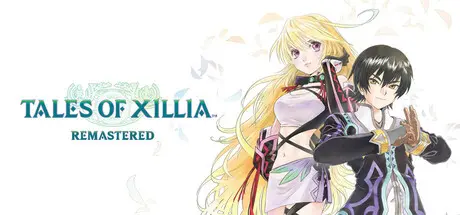
Tales of Xillia Remastered Free Download (v1.0.3 + ALL DLC)
Featured Replies

header.webp

Game Details

Release Name:ย Tales of Xillia Remastered

Game Version:ย v1.0.3 | Build 20945273

Release Date: 30 Oct, 2025

Publisher: Bandai Namco Entertainment

Developer: DOKIDOKI GROOVEWORKS, Inc.

Based On:ย CSF & RUNE

Tales of Xillia Remastered Direct Download - Game Review

Experience Tales of Xillia, remastered for the first time ever.

Dive into the magnificent world of Rieze Maxia as either Jude Mathis, an aspiring medical student from the capital, or Milla Maxwell, a mysterious woman accompanied by four powerful spirits.

Worlds Collide, Destiny Awaits

Follow the paths of Milla and Jude as they embark on their daring journey through Rieze Maxia, a wondrous land where mankind and spirits coexist in harmony.

Master the Dual Raid Linear Motion Battle System, mustering strategy and coordination to overcome action-packed battles in real-time combat. Team up with allies to unleash devastating combo attacks and unlock special support skills to overwhelm your foes.

Visit the gorgeous Rieze Maxia, revitalized by beautifully-rendered illustrations and animations.

Explore with new quality-of-life updates including improved graphics, an auto-save feature, the ability to toggle encounters, early shop access, and more.

Xillia Remastered contains DLC launched alongside the original release, including costumes, useful items, and other fun extras.


Game Screenshots

screenshot screenshot screenshot screenshot


Game Trailer


System Requirements

Minimum Requirements

Recommended Requirements

OS

Windows 11

Windows 11

Processor

Intel Core i3-8100 / AMD Ryzen 3 3100

Intel Core i3-8100 / AMD Ryzen 3 3100

Memory

8 GB RAM

8 GB RAM

Graphics

Nvidia GeForce GTX 550 Ti [1 GB] / AMD Radeon HD 5770 [1 GB] / Intel Arc A310 [4 GB]

Nvidia GeForce GTX 650 [1 GB] / AMD Radeon HD 7770 [2 GB] / Intel Arc A310 [4 GB]

DirectX

Version 12

Version 12

Storage

19 GB available space

19 GB available space


Installation Guide

  1. No Installation Needed: The game is pre-installed. Just download and extract.

  2. Extract: Right-click the .zip or .rar file and select "Extract Here" or "Extract to folder".

  3. Run: Find Tales of Xillia Remastered.exe inside the folder and run it.

Game Data & Settings

  • Change Language: Edit the file located at steam_settings/Configs.user.ini

  • Save Data Location: %USERPROFILE%/AppData/LocalLow/BANDAI NAMCO Entertainment/Tales of Xillia Remastered/Save/

Important Notes

DLC List

Added DLCs

Tales of Xillia Remastered - Deluxe Upgrade Pack

Tales of Xillia Remastered - Battle BGM Pack

Tales of Xillia Remastered - Super Growth Support Herb Set

Tales of Xillia Remastered - Super Adventuring Assistance Set

Tales of Xillia Remastered - Lv. Up+10 (2)

Tales of Xillia Remastered - Lv. Up+10 (1)

Tales of Xillia Remastered - Lv. Up+5 (4)

Tales of Xillia Remastered - Lv. Up+5 (3)

Tales of Xillia Remastered - Lv. Up+5 (2)

Tales of Xillia Remastered - Lv. Up+5 (1)

Tales of Xillia Remastered - Digital Artbook & Soundtrack

๐Ÿ”ฅDOWNLOAD AREA๐Ÿ”ฅ

๐Ÿ”น16.70 GB๐Ÿ”น

Select the server you want to download with ZeiLink.

Download

  • Views 587
  • Created
  • Last Reply

Posted Images

Create an account or sign in to comment

Recently Browsing 0

  • No registered users viewing this page.

Account

Navigation

Search

Search

๐Ÿ”Ž Search Tip
For exact results, search using "game name" .
Without quotes, results may include unrelated titles.

Configure browser push notifications

Chrome (Android)
  1. Tap the lock icon next to the address bar.
  2. Tap Permissions โ†’ Notifications.
  3. Adjust your preference.
Chrome (Desktop)
  1. Click the padlock icon in the address bar.
  2. Select Site settings.
  3. Find Notifications and adjust your preference.
