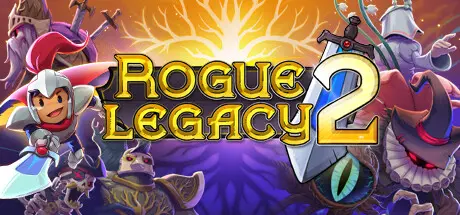
June 17, 20251 yr Rogue Legacy 2 Game DetailsRelease Name: Rogue Legacy 2Game Version: v1.2.2a | Build 17282676Release Date: 28 Apr, 2022Publisher: Cellar Door GamesDeveloper: Cellar Door GamesBased On: CSF & GoldbergRogue Legacy 2 Direct Download - Game OverviewRogue Legacy is back! But now it's got a 2 on the end of it!Rogue Legacy 2 is a genealogical rogue-LITE. That means it has all the trappings of a typical rogue-like (randomized runs, changing characters, and more), but with persistent upgrades, and persistent dead heirs. In this game, your legacy defines you. Spend your parents’ inheritance and grow the family manor to give your children a better fighting chance. Each child is unique, with their own traits and abilities. Your daughter could be a Ranger. She could also be vegan. It’s a new experience every time. Rogue Legacy 2 also lets you play how you want to. Go hard and fast, and dive deeper into the depths of a randomly-generated world. Or take it slow and steady and build your character up until you’re ready for greater challenges.Rogue Legacy 2 Screenshots Rogue Legacy 2 TrailerRogue Legacy 2 System Requirements Minimum RequirementsRecommended Requirements OSWindows 7Windows 10 Processor2.0 Ghz3.0 Ghz Memory8 GB RAM8 GB RAM GraphicsNvidia GTX 680, AMD R9 280XNvidia GTX 680, AMD R9 280X DirectXVersion 11Version 11 Storage2 GB available space2 GB available space How to Install Rogue Legacy 2No Installation Needed: The game is pre-installed. Just download and extract.Extract: Right-click the .zip or .rar file and select "Extract Here" or "Extract to folder".Run: Find Rogue Legacy 2.exe inside the folder and run it.Game Data & SettingsChange Language: Edit the file located at steam_settings/Configs.user.iniSave Data Location: %USERPROFILE%/AppData/LocalLow/Cellar Door Games/Rogue Legacy 2/Saves/Steam/{64BitSteamID}Important NotesTo support the Game Developer, Get It On Steam.🔥DOWNLOAD AREA🔥🔹873 MB🔹Select the server you want to download with ZeiLink.Download





Create an account or sign in to comment